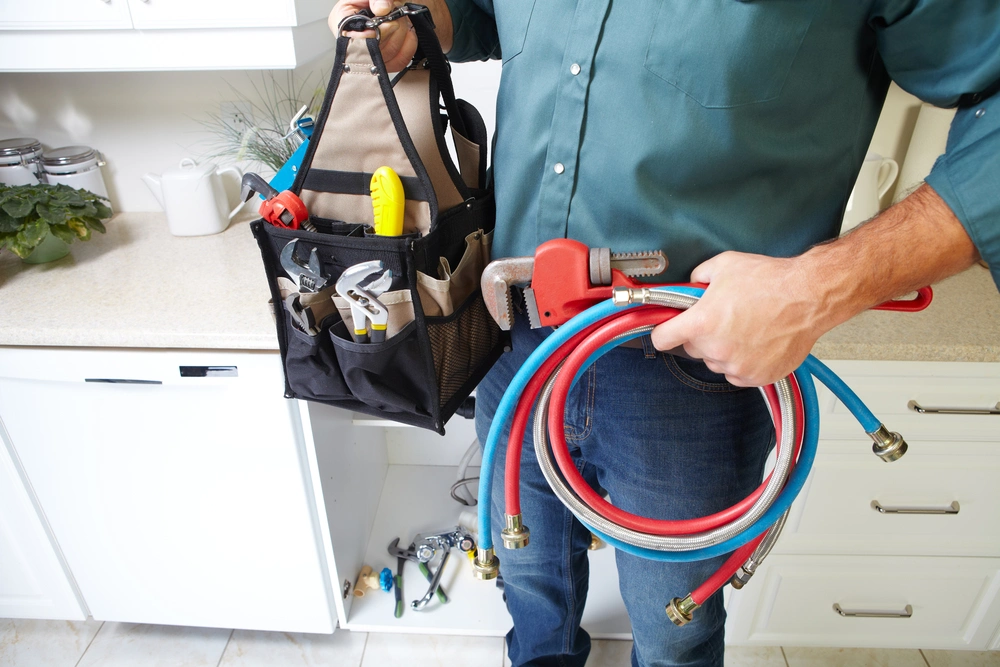
Plumbing dispatch software helps plumbing contractors schedule service calls, assign plumbing jobs to technicians, and send the job details from the office to the field. Instead of coordinating plumbers through paper schedules, individual text messages, spreadsheets, and repeated phone calls, dispatchers can manage the day from one connected system.
For a commercial plumbing business, dispatch is more than putting an appointment on a calendar. The dispatcher often needs to know the customer, exact job site, service history, urgency, technician capacity, existing workload, and what information the plumber will need when they arrive. When plumbing dispatch software is connected to work orders, mobile field service, materials, recurring maintenance, and invoicing, the original service request can stay attached to the operational record from first call through completed job.
ServiceBox is plumbing field service software built to keep that workflow connected. It gives office staff a visual schedule, lets them assign and adjust work, and sends the relevant customer, site, and work-order information to technicians in the field.
What Is Plumbing Dispatch Software?
Plumbing dispatch software is a digital tool used to plan, schedule, assign, and adjust plumbing service work. It gives the office a clearer view of open service calls, scheduled plumbing jobs, technician availability, job-site information, and current workload so dispatchers can make better decisions as the day changes.
A basic calendar can show appointments. Plumbing dispatch software goes further by connecting the schedule to the work itself. The dispatcher can work from the correct customer and job site, attach the work order, send job details to a technician's mobile device, and keep changes visible to both office and field teams.
For growing plumbing companies with multiple plumbers or multiple crews, that connection matters. Emergency calls can arrive while planned work is already in progress. A technician may need prior service history or access notes before entering a building. Recurring maintenance may need to be scheduled alongside reactive work. A completed visit may need labour, materials, photos, notes, and customer sign-off before the office can send an invoice.
That is why plumber dispatch software is often part of a broader field service management solution rather than a standalone scheduling tool.
Why Plumbing Businesses Move Beyond Paper Schedules and Text Messages
Traditional dispatch methods can work when a plumbing company is very small. As the number of plumbing jobs, technicians, customer sites, and service requests grows, the same methods create more administrative work.
A whiteboard may show where a plumber is supposed to be, but it usually does not contain the customer record, job history, contact information, work-order scope, or material requirements. A text message can communicate a change, but the updated plan may not be visible to the rest of the office. Paper work orders may come back hours or days after the work is completed, which slows billing and makes service history harder to use.
Plumbing business software helps reduce those disconnected handoffs. A dispatcher can see the current schedule, move work when priorities change, and keep the work order connected to the technician who receives it. Office staff do not need to rebuild the day from separate messages, and technicians can start with more complete job details.
The goal is not to automate every dispatch decision. Good dispatch still requires judgement about urgency, technician skill, workload, parts, customer commitments, and location. The software gives the dispatcher better information and a faster way to act on it.
How Plumbing Dispatch Software Works
A strong plumbing dispatch workflow usually follows the same basic path from customer request to completed job.
1. Receive the service request
The office captures the customer, the correct job site, contact information, service need, urgency, and any access details. For repeat plumbing customers, the existing customer records and service history can provide useful context before the job is scheduled.
Commercial plumbing companies often manage one customer with several locations. Keeping the request tied to the correct building or site helps prevent the technician from arriving without the information needed for that location.
2. Review technician capacity and current plumbing jobs
Before committing to a service window, the dispatcher reviews the schedule. Plumbing dispatch software should make it easier to see assigned work, open time, workload, and the technicians or crews available for the job.
Capacity is only one factor. Emergency calls may also require a specific skill set, material availability, or technician familiarity with a site. Available location information can help inform the dispatch decision, but it should be considered alongside those other requirements.
3. Schedule the work order
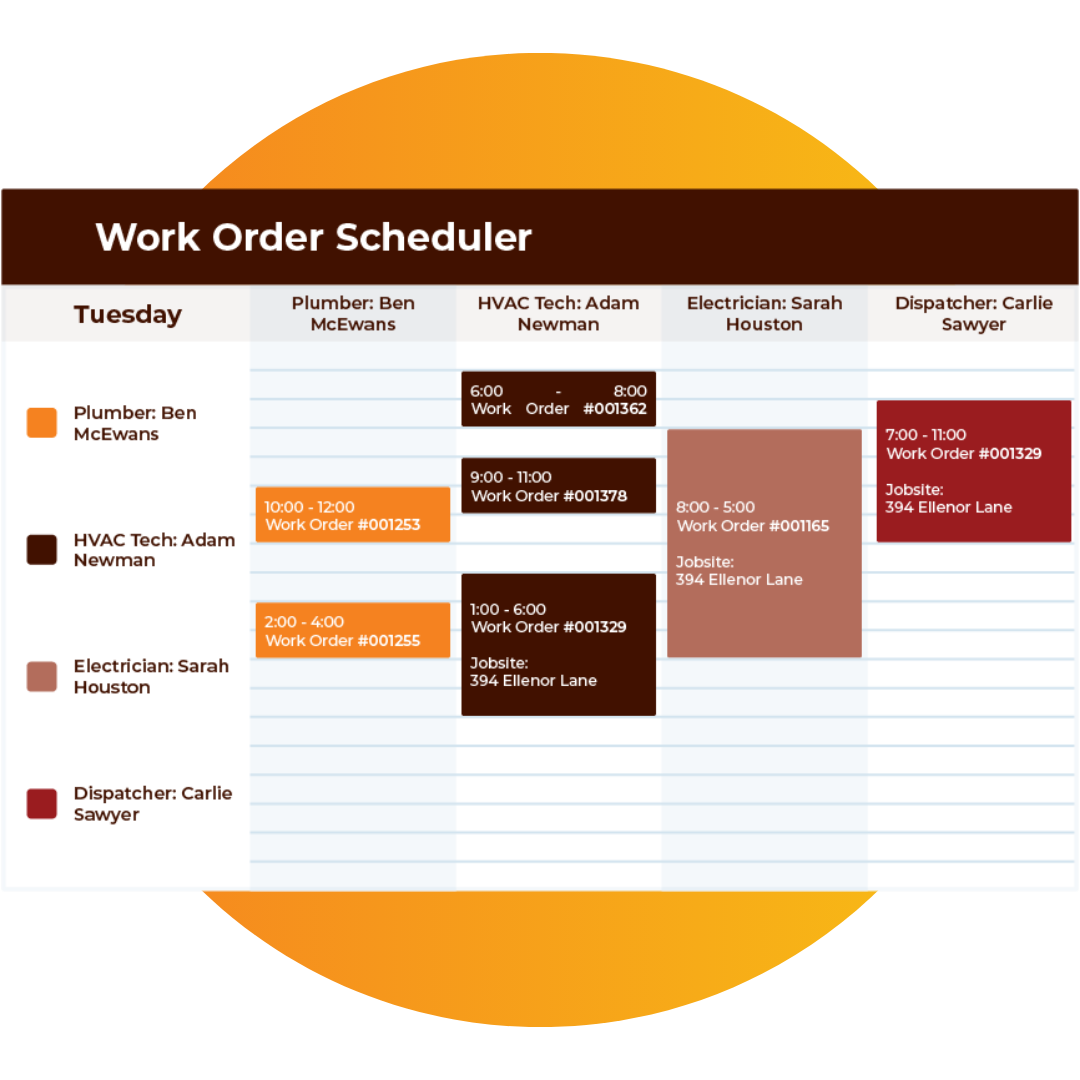
Once the dispatcher chooses a realistic slot, the plumbing job is placed on the schedule and assigned to the appropriate technician or team. In ServiceBox, work orders can be moved into open time slots through a visual drag-and-drop calendar.
This gives office staff a current view of scheduled plumbing jobs instead of maintaining a separate paper schedule.
4. Dispatch complete job details to the field
The technician receives the work order along with customer information, the job-site address, directions, and the other job details available in the record.
That is one of the most important differences between general scheduling software and plumbing field service software. The technician should not receive only a time and address. They should have enough context to understand where they are going and what the service call requires.
5. Adjust the schedule when the day changes
Plumbing businesses rarely have static schedules. Emergency calls, delayed jobs, customer changes, and technician availability can force the office to replan.
With dispatch software, the office can change assignments, timing, or priority and keep the updated plan connected to the technician's mobile workflow. Dispatchers can react without rebuilding the entire schedule or relying on a chain of texts that quickly becomes outdated.
6. Complete the plumbing job in the field
After dispatch, the work order becomes the field record. The technician can record the work performed along with labour, materials, notes, photos, forms, and customer sign-off.
A mobile app is especially important here. The more of the service record technicians can complete at the job site, the less manual data entry the office needs to recreate later.
7. Carry the completed work into billing and service history
Once the plumbing job is complete, the office can review the service record and move it toward invoicing. Labour, material costs, notes, and documentation stay attached to the same work instead of being reconstructed from paper.
The completed job also becomes part of the customer's service history. That gives the next technician more useful context when the customer calls again.
Example: Dispatching an Emergency Plumbing Call
Consider a commercial property manager who calls about an active leak at one of several buildings.
The office first identifies the correct customer and job site, captures the site contact and access information, and reviews previous plumbing service history. The dispatcher then looks at current plumbing jobs and technician capacity. If location information is available, it can help the dispatcher compare options, but the decision still needs to consider workload, skill, parts, and existing customer commitments.
The dispatcher creates or opens the work order, schedules the urgent call, and assigns it to the selected plumber. The technician receives the job-site address, contact, work-order details, directions, and relevant service history on a supported mobile device.
At the building, the plumber records labour, fittings or other materials, photos, notes, and follow-up recommendations. When the job is complete, the office has a usable field record available for review rather than waiting for paper to come back.
That connected process is the practical value of plumbing dispatch software: the emergency service call stays attached to the customer, site, technician, completed work, and billing record.
Key Benefits of Plumbing Dispatch Software
Clearer scheduling and technician capacity
One of the biggest benefits is simply giving office staff a better view of the day. A visual schedule can show assigned plumbing jobs, available time, and workload across individual technicians or teams.
That makes it easier to set realistic service windows, reduce avoidable overbooking, and decide where new service calls can fit. For growing plumbing businesses, the value increases as more people are involved in the dispatch process.
Faster changes when emergency calls arrive
Emergency calls are common in plumbing. A burst pipe, active leak, failed pump, or blocked drain can immediately change the priority of the schedule.
Plumbing dispatch software gives the office a faster way to move a work order, change timing, or reassign work. The technician receives the updated assignment through the connected workflow instead of relying on multiple calls or text messages.
Better communication between office and field
Clear communication is a major part of customer satisfaction. Dispatchers need to know the current status of plumbing jobs, and technicians need clear information about where to go and what the job requires.
Keeping the customer, job site, directions, work order, and service history connected reduces missed handoffs. It also gives the office a better foundation for keeping customers informed when timing or priorities change.
More useful job details on the mobile app
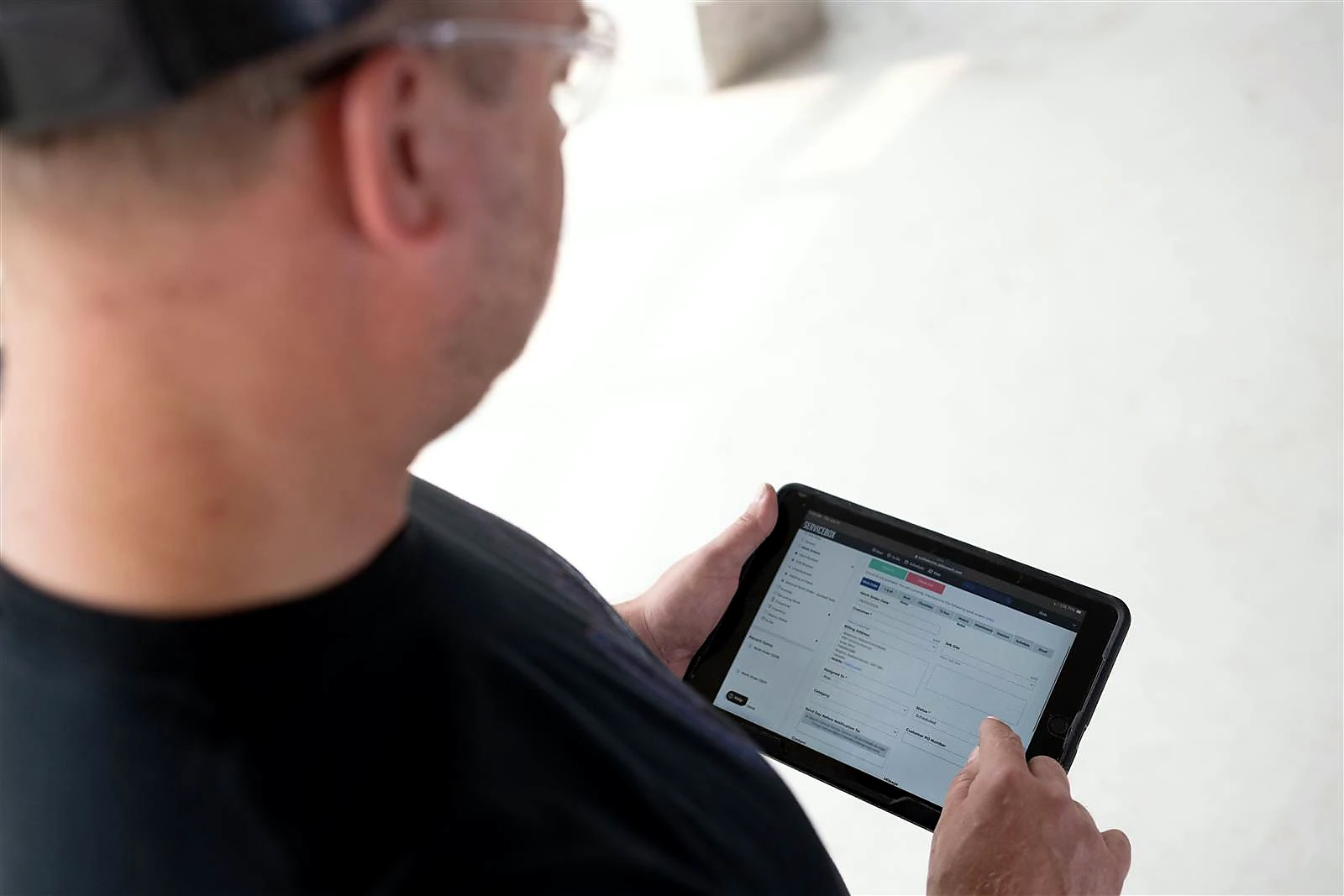
A plumbing mobile app should help field staff do more than view an appointment. Technicians may need customer history, previous work, site notes, forms, photos, and the current work order.
ServiceBox gives technicians mobile access to schedules, work orders, customer and job-site history, notes, photos, forms, labour, materials, and customer sign-off. Those updates stay connected to the work order so the office receives a more complete record.
Better support for multiple plumbers and crews
As plumbing companies grow, a single dispatch board can become difficult to manage. Organizing technicians into crews or scheduling teams helps dispatchers focus on the people and capacity relevant to a branch, work type, or service area.
This is especially useful when a plumbing business manages reactive service calls, recurring maintenance, and larger planned jobs at the same time.
Recurring maintenance stays in the workflow
Many commercial plumbing contractors manage recurring inspections and preventative maintenance alongside urgent service.
Plumbing management software can generate and schedule repeat work from maintenance intervals or customer agreements so recurring service does not depend on someone's memory. The recurring visit stays connected to the customer, site, and previous service history.
Work orders, materials, and billing stay connected
Dispatch is only the beginning of the job. The plumbing business still needs to capture work performed, labour, fittings and other materials, customer approval, and invoicing information.
Connecting plumbing job management software to dispatch helps the office avoid rebuilding the record later. Material costs can stay with the job, completed work can move into the billing process, and customer history becomes more useful for future service.
Less paperwork and manual data entry
Paper work orders create administrative tasks after the technician leaves the site. Someone may need to re-enter time, materials, notes, or invoice information into another system.
A connected digital tool reduces that duplication. Field information becomes available to office staff when it is saved, which can help completed jobs move toward invoice review sooner.
How ServiceBox Handles Plumbing Scheduling and Dispatch
ServiceBox combines plumbing dispatch with the surrounding field service workflow rather than treating scheduling as an isolated calendar.
Visual drag-and-drop scheduling
Dispatchers can move work orders into open time slots and assign technicians from one visual schedule. The board gives the office a clearer view of openings, current assignments, and workload.
Technician capacity and teams
ServiceBox lets the office review assigned work and available time across technicians or teams. Technicians can also be grouped into crews or scheduling teams to make larger dispatch boards easier to manage.
Mobile dispatch
When work is scheduled, the work order can be sent to the technician's supported mobile device with customer details, the job-site address, directions, and other work-order information.
Real-time schedule updates
Assignments, timing, and priority can be changed as emergency work and customer needs change. Office and field teams can work from the current schedule instead of depending on outdated messages.
GPS-aware dispatch context
Available technician location information can be used alongside workload and job requirements when evaluating an urgent call. ServiceBox does not remove the need for a dispatcher to consider skill, parts, existing commitments, and customer priority.
Recurring job scheduling
Repeat plumbing service can be generated from preventative-maintenance intervals and customer agreements, then scheduled alongside other service requests and planned work.
Calendar-to-billing continuity
Scheduled work remains connected through field completion, time and material capture, office review, and invoicing. The original dispatch decision stays attached to the operational and financial record.
Explore ServiceBox scheduling and dispatch software.
Why Commercial Plumbing Dispatch Is Different
Commercial plumbing companies often need more context than a simple residential appointment calendar can provide.
A single customer may operate multiple buildings, each with different contacts, access instructions, equipment, and service history. Emergency calls may need to be coordinated around planned maintenance or project work. Different plumbers may return to the same site over time, so preserving previous notes, photos, repairs, and forms becomes important.
Commercial plumbing businesses may also need to manage multiple crews, recurring inspections, material purchases, job costs, approval processes, and more complex billing. When those workflows live in separate tools, the dispatcher may have a schedule but still lack the context needed to make a strong dispatch decision.
Plumbing field service software solves that problem by keeping the schedule connected to customer management, job-site records, work orders, mobile field activity, materials, and billing.
See ServiceBox plumbing field service software.
Plumbing Dispatch Software vs. Basic Scheduling Software
Basic scheduling software answers a simple question: when is the appointment?
Plumbing dispatch software needs to answer several additional questions:
- Which customer and job site is this service call for?
- What is the urgency and service need?
- Which plumbers or crews have capacity?
- What current plumbing jobs are already assigned?
- What job details and service history does the technician need?
- Does the technician need access notes, forms, photos, or equipment information?
- How will labour and materials be recorded?
- Is this a one-time call or recurring maintenance?
- How will the completed job move into invoicing and customer history?
That broader context is why scheduling and dispatch should be connected to the rest of the plumbing operation rather than managed as a separate calendar.
How Dispatch Connects to the Rest of a Plumbing Operation
A connected plumbing software system should keep dispatch tied to the systems that own the rest of the job.
Customer management and service history. Customer and job-site records give dispatchers and technicians the context behind the call. Explore ServiceBox CRM and customer management.
Job management and work orders. The work order carries the job from request through field completion and job progress. See job management software.
Mobile field service. Technicians receive schedules and work orders and record field information while on site. Explore the ServiceBox mobile field app.
Inventory and materials. Fittings, valves, and other materials used on plumbing jobs can stay connected to job costs and purchasing. See field service inventory management.
Recurring maintenance. Repeat inspections and planned service can enter the schedule from maintenance intervals and agreements. See preventative maintenance software.
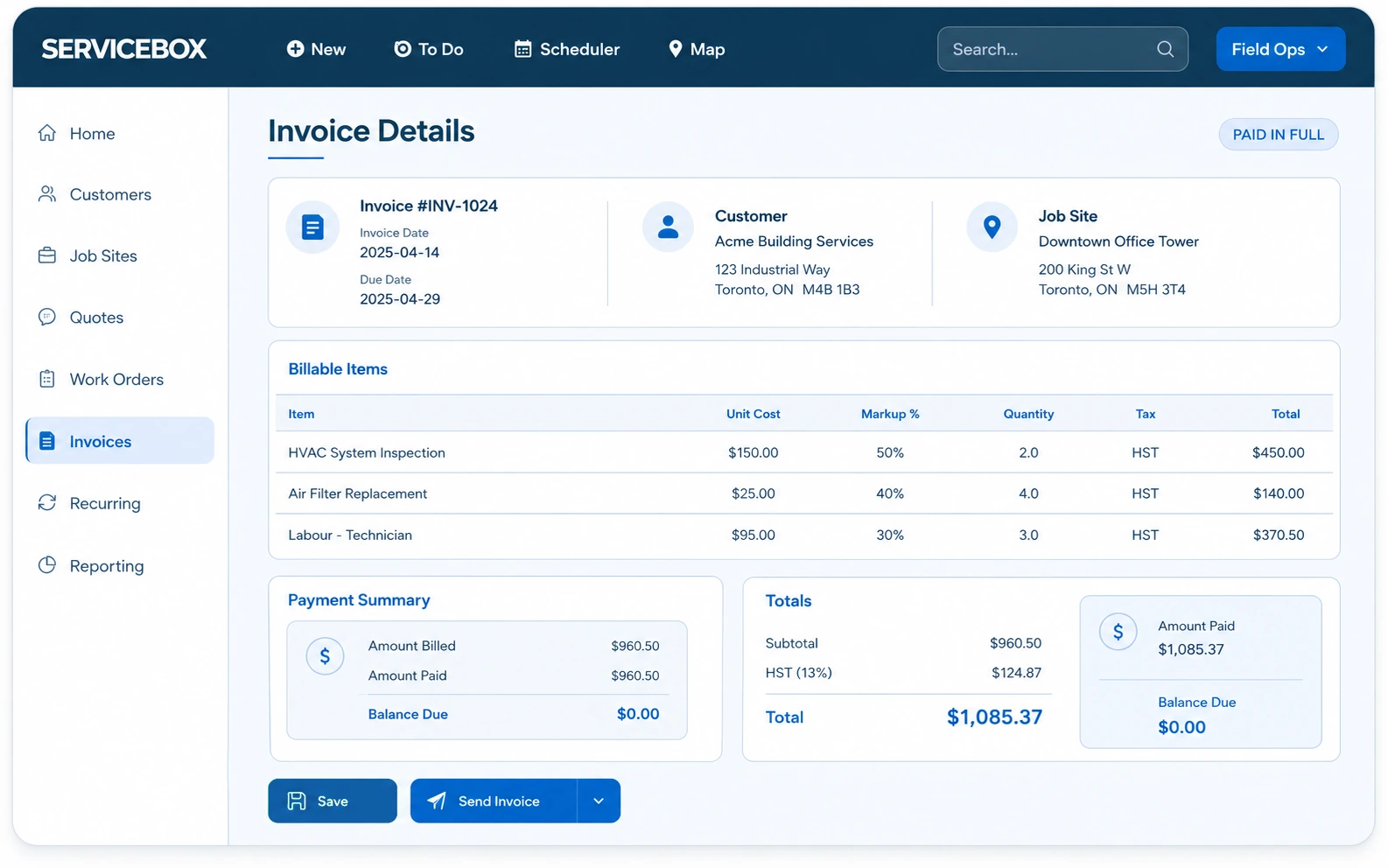
Quoting and invoicing. Completed work can move from the field record into invoice review without recreating the job. See quoting and invoicing software.
Accounting integration. Supported accounting workflows can move operational billing information toward QuickBooks Online, QuickBooks Desktop, or Sage. Explore accounting integrations.
Real Customer Example: Apex Plumbing & Heating
Apex Plumbing & Heating provides commercial and institutional plumbing and HVAC service. Its work includes emergency calls, recurring maintenance, and equipment replacement, which means the team needs both flexible dispatch and a strong service record.
Apex reports that about 90% of its field paperwork is completed on site. Technicians enter time, materials, service history, and checklists in the field, while the office can review completed records throughout the day.
That has a direct connection to dispatch. When urgent calls arrive, the office can see capacity, reassign work, and send the work order to a technician's phone. The technician inherits the customer and site context rather than starting from a blank appointment. When the work is complete, the record moves toward daily invoice review instead of becoming another paper handoff.
As Apex's John put it: "Paper is an enormous process. The steps that are eliminated with ServiceBox are quite substantial."
Read the Apex Plumbing & Heating customer story.
What to Look for in Plumbing Dispatch Software
When comparing plumbing service software, focus on how well the product supports the actual dispatch workflow rather than the length of the feature list.
A schedule dispatchers can manage
The dispatch board should make technician availability, assigned work, and schedule changes easy to understand. If moving a service call requires rebuilding the day, the software is not solving the core problem.
Complete information reaches the technician
The plumber should receive more than an address. Look for customer information, job-site context, directions, work-order details, service history, and the field forms or documents required for the job.
A practical mobile app
Technicians need a mobile workflow they will actually use. Schedules, work orders, notes, photos, labour, materials, and customer sign-off should be available without forcing the technician back to the office.
Support for emergency calls and changing priorities
The office should be able to reassign and reschedule plumbing jobs quickly. Good dispatch software helps the dispatcher act on current information without pretending the software can make every emergency decision automatically.
Support for multiple crews and recurring maintenance
Growing plumbing businesses often need to manage teams, branches, service areas, and repeat customer work. The scheduling system should scale with that complexity.
Connection to billing and accounting
Dispatch has more value when the completed job can move into invoicing without duplicate manual data entry. Look for a connected billing process and the accounting integrations your business actually uses.
Plumbing Dispatch Software FAQs
What is plumbing dispatch software?
Plumbing dispatch software helps plumbing companies schedule service calls, assign plumbers or crews, send job details to the field, and adjust the schedule as priorities change. More complete systems also connect dispatch to customer records, work orders, mobile field activity, materials, recurring maintenance, invoicing, and service history.
How does plumber dispatch software work?
The office receives a service request, identifies the correct customer and job site, reviews technician capacity and workload, schedules the plumbing job, and sends the work order to the selected technician. If the plan changes, the dispatcher can update the assignment or timing. After the visit, field information stays attached to the completed job for billing and future service.
Can plumbing dispatch software handle emergency calls?
Yes, dispatch software can help the office respond to emergency calls by showing the current schedule, technician availability, and relevant job context, then allowing work to be reassigned or rescheduled. The final decision still depends on factors such as urgency, technician skill, location, workload, parts, and existing customer commitments.
Can plumbers receive work orders on their phones?
With a mobile field service app, technicians can receive their schedule and work-order information on supported mobile devices. In ServiceBox, technicians can access schedules, work orders, customer and job-site history, notes, photos, forms, labour, materials, and customer sign-off from the field workflow.
Can dispatch software manage multiple plumbers or crews?
Yes. Plumbing dispatch systems designed for growing service businesses can show workload across multiple plumbers and organize technicians into teams or crews. This makes it easier for dispatchers to focus on the people and capacity relevant to a branch, service area, or work type.
Can plumbing software schedule recurring maintenance?
Field service management software can generate and schedule recurring work from preventative-maintenance intervals or customer agreements. That lets plumbing companies manage recurring inspections and planned service alongside emergency and reactive plumbing jobs.
What is the difference between plumbing scheduling software and plumbing dispatch software?
Scheduling software primarily organizes when work will happen. Dispatch software adds the operational decision of who should receive the work and sends the relevant job details to the field. In practice, the strongest plumbing software combines scheduling and dispatch so the office can plan capacity, assign technicians, make changes, and keep each work order connected to the rest of the service record.
Does plumbing dispatch software connect with invoicing?
It can. In a connected field service system, the work order can carry labour, materials, notes, and other completion information from the technician back to the office. The completed record can then move into the billing process without rebuilding the job from separate paper or text-message records.
Does plumbing dispatch software integrate with QuickBooks?
That depends on the product. ServiceBox supports accounting workflows with QuickBooks Online, QuickBooks Desktop, and supported Sage products. The exact data and workflow depend on the accounting system and configuration, so plumbing companies should review the integration they plan to use rather than assuming every accounting connection works the same way.
How much does plumbing dispatch software cost?
Pricing varies by product, team size, and the workflows being implemented. ServiceBox pricing is packaged according to the number of users and the plan selected. Because pricing can change over time, review the current ServiceBox pricing page rather than relying on an old per-user figure in an article.
Make Plumbing Dispatch Part of a Connected Service Workflow
The strongest plumbing dispatch process is not just a better calendar. It gives office staff a current view of service calls and technician capacity, gives plumbers the job details they need in the field, and keeps completed work connected to materials, invoicing, and service history.
If your plumbing business is coordinating multiple technicians, commercial job sites, emergency calls, recurring maintenance, and daily billing, bring one of your real service calls to a ServiceBox demo. We can walk through how the customer, site, work order, schedule, technician field record, and invoice stay connected.

![How to Schedule Visits for HVAC Systems [Seasonal Maintenance Guide]](https://cdn.prod.website-files.com/67ae6e3fa71598c124af0f8b/6ab5b39ad7006a6e8dd23304_Dispatch%20team.jpg)