
One connected record
Customer, site, equipment, scope and history travel with the job.
Say Goodbye to Manual Work Management
ServiceBox is cloud-based job management software that connects the workflow from quote and work order through field completion, review and invoicing. Office and field teams can track the same job record as work moves forward.
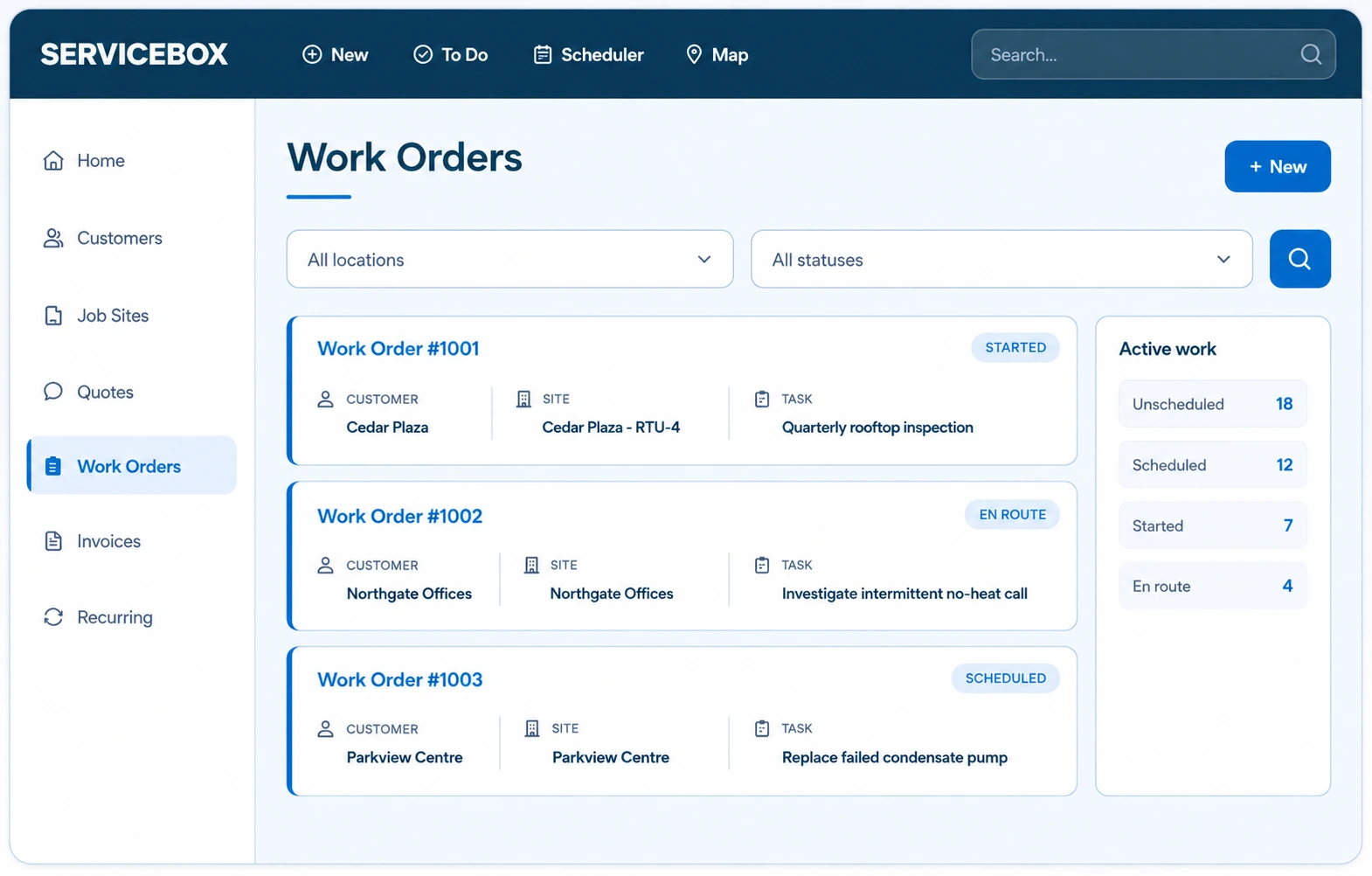
Field service work order software
ServiceBox connects the complete work-order workflow for commercial field service contractors—from the customer request and job site through scheduling, technician work, labour, materials, job costing and invoicing. The same job record stays with the work instead of being rebuilt at each handoff.
Explore field service scheduling and dispatch software and quoting and invoicing software.
The operational outcome
Give everyone one work record—from the original request and assigned technician through time, materials, field proof, job costing and invoice preparation.
Customer, site, equipment, scope and history travel with the job.
See what is scheduled, started, waiting or ready to review.
Review a complete record instead of reconstructing the day.
Inside Job management
Each capability stays connected to the customer, job or financial record around it. That connection reduces re-entry and keeps the feature useful after the first week.
Create work from the main menu, a customer, job site, Scheduler or an approved quote.
The office can begin the job where the request or approved scope already exists.
Connect the work order to the correct account, service location, contacts and equipment.
Technicians arrive with access information and history relevant to the exact asset.
Assign ownership, schedule one or multiple technicians, and use configurable statuses to show where work stands.
Service managers can see what needs action without relying on status calls.
Capture check-in/out or entered labour against the work and carry supported entries into employee timesheets.
Reviewed time can support payroll preparation and job costing with hours tied to the customer and work performed.
Add tracked or non-inventory items and keep supported vendor purchasing activity connected to the work.
Billing reviews what was actually used while purchasing retains supplier cost context.
Attach job-specific checklists for safety, inspection, installation or closeout requirements.
Technicians follow the required process and return structured field evidence.
Collect job photos, documents, internal notes and customer-facing information on the work record.
The office receives proof and context without chasing separate messages.
Capture one or more signatures when the workflow requires confirmation.
Customer sign-off and employee acknowledgement remain connected to completed work.
Review labour, materials, purchases and expenses associated with the work.
Managers can compare operational cost inputs with the quoted or billed job.
Create an invoice from quote pricing, actual time and materials or a controlled blank starting point.For an electrical example, see the work-order-to-invoice workflow for electrical contractors.
Billing begins from the completed work record rather than recreating the job.
How it helps the business
The product matters when it saves a handoff, protects billable information, gives the customer clarity or helps the next person make a better decision.
Stop splitting scope, assignments, field notes, materials and billing detail across separate tools.
Make the required field record part of completing the work instead of an end-of-day reconstruction.
See which jobs are unscheduled, active, waiting, incomplete or ready for billing review.
Move reviewed labour, materials, purchases and proof into invoicing with less re-entry.
One connected workflow
Each role adds the information it owns. The next role receives the context instead of starting over.
Start from a call, quote, agreement or recurring visit.
Send the technician the site and equipment context.
Collect labour, materials, notes, forms and photos.
Review once and move the job toward invoicing.
Configuration and adoption
ServiceBox onboarding connects the feature to your categories, statuses, permissions, documents and handoffs, then tests it with work your team actually performs.
Configure categories, statuses, numbering and required customer, site and equipment information.
Choose the time, materials, forms, photos, notes and signatures required for each work type.
Document how assigned users, scheduled technicians, queues and service managers interact.
Run reactive service, quoted work, multi-technician work and a purchase-heavy job through invoice creation.
Clear expectations
Strong product fit comes from understanding how the record behaves, who owns it and where an exception requires a defined process.
Guided adoption
Your onboarding specialist configures ServiceBox around the way your business actually works, then trains each role on the workflow it owns.
Questions contractors ask
Yes. A quote can be converted to a work order, carrying approved scope and eligible configured materials into execution.
Yes. Multiple technicians can be scheduled to the same work order, including separate time slots where required.
Depending on configuration and permissions, technicians can capture time, materials, inventory, notes, photos, attachments, checklists, equipment updates and signatures.
ServiceBox can bring labour, materials, supported purchases and employee expenses into job-costing context so managers can review the work's operational inputs.
Yes. The invoice can begin from quoted pricing, actual time and materials or a controlled blank record, depending on the billing workflow.
Field service job management software centralizes scheduling, work status, technician records, materials and billing context so office and field teams can work from the same job record. That reduces duplicate entry and gives the next person better context without depending on spreadsheets, sticky notes or separate messages.
ServiceBox focuses on the connected job record commercial contractors need: customer and job-site context, work orders, technician time and materials, purchasing, invoicing and supported accounting handoffs. Configuration, permissions and integrations are set up around the company's workflow rather than assuming every process is automatic.
ServiceBox serves hundreds of industries but excels with field service businesses like HVAC, electrical, and plumbing contractors. Whether you're a team of three or managing multiple locations, our features scale to fit your operation. From small family businesses to larger contractors handling complex construction projects, ServiceBox streamlines operations and boosts productivity for any business with technicians in the field.
No generic product tour
Bring the settings, exceptions and customer requirements your team handles today. We will show the complete workflow and identify what needs to be configured.