
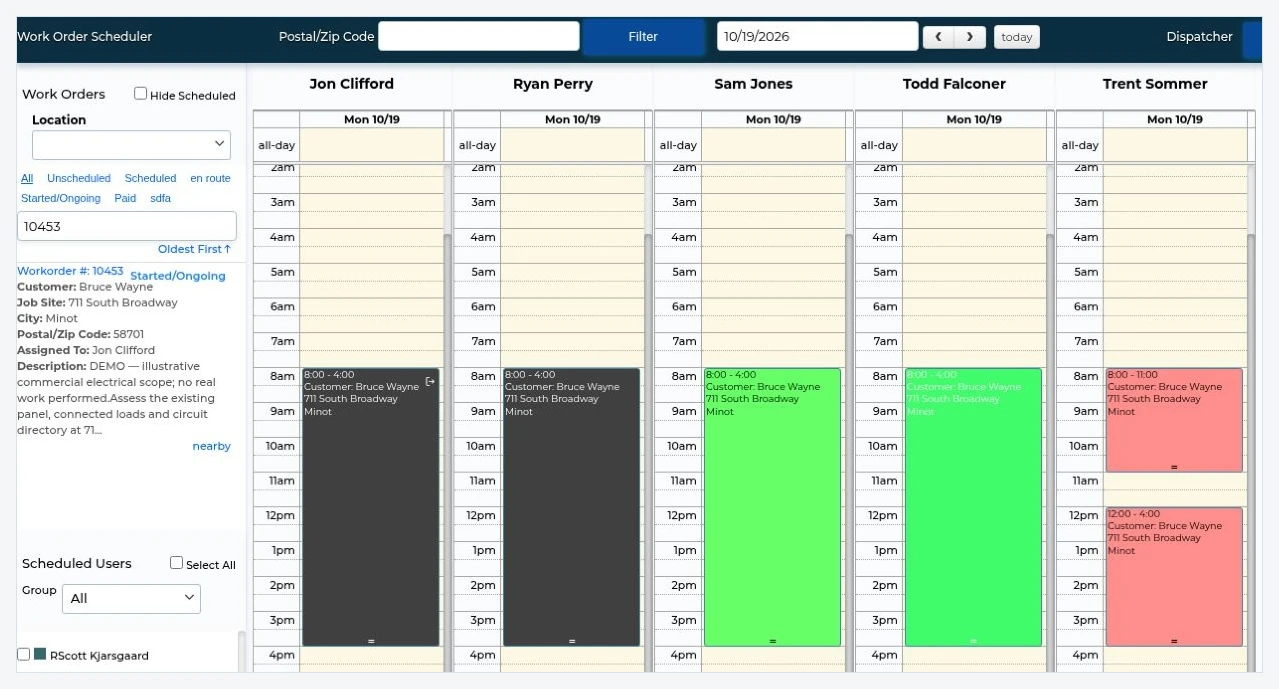
1. Schedule the work
Assign technicians and see the jobs planned for the day.
Field service software for HVAC, plumbing & electrical contractors
All-in-one field service software for commercial HVAC, plumbing and electrical contractors. Bring your office and field teams together for scheduling, work orders and invoicing, while keeping QuickBooks or Sage 50 for accounting.
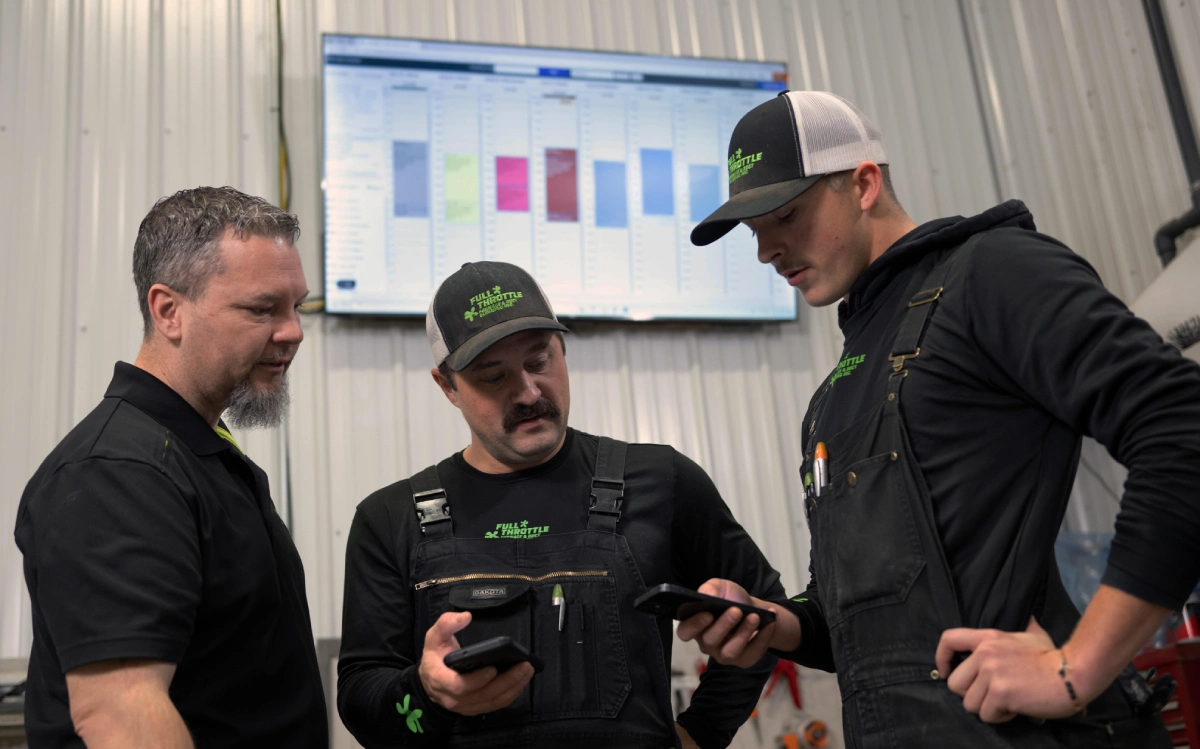




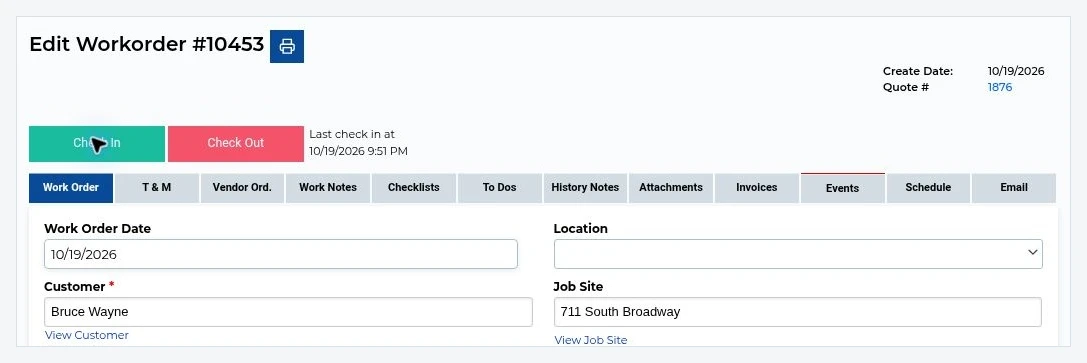
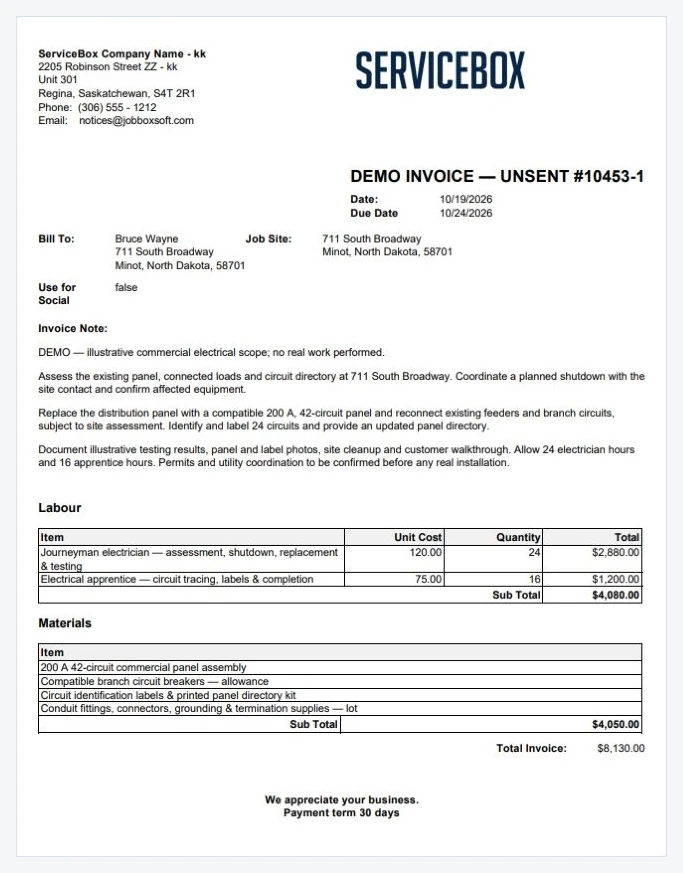
From the dispatch schedule to the job record and invoice. These ServiceBox screenshots use an illustrative electrical demo job; no customer work was performed.
Assign technicians and see the jobs planned for the day.
Review the work order, assigned work and job details in one record.
Use the recorded labour and materials to prepare an invoice for review.
Tools for your team
Keep your day-to-day work organized in ServiceBox. Add purchasing, inventory and multiple locations as your business grows.
Find customer details, site information and equipment history without searching through separate files.
Plan the day, assign technicians and give them the job details they need before they arrive.
Let technicians record time, materials, photos, forms and notes while they’re on site.
Set up repeat service work and keep the equipment details and service history ready for each visit.
Turn approved quotes into work orders, then prepare invoices using the details already recorded.
Review technician time and track customer payment activity alongside the work.
Create purchase orders, keep material costs with the job and track stock across warehouses and trucks.
Keep your branches, teams and schedules organized in the same system.
Customer stories
ProTrades Mechanical · Windsor, Ontario
ProTrades reports a 30% increase in overall efficiency with ServiceBox and runs its invoicing through to Sage 50.
Customer-reported result.
Read the ProTrades story
“A great bridge between the way we like to work, and how ServiceBox works.”
Jennifer MacDonald — ProTrades
“I love that everything is in one location & we've gone completely paperless.”
“It has proven easy for our Technicians and Admin team to utilize and our Customers get a great end product too.”
ServiceBox is easy to use, highly configurable and supported by a friendly team that continues to check in.
Capterra and Software Advice share a Gartner Digital Markets review pool, so their review counts are not combined. Summarized reviews are clearly labelled.
Manage your jobs and prepare invoices in ServiceBox, with a connection to the accounting software you already use.


QuickBooks Online · QuickBooks Desktop · Sage 50 Canada
We’ll discuss your accounting setup and help confirm how ServiceBox can work with it.
See accounting integrationsGet help setting up ServiceBox, bringing over your data and training your office and technicians. Our support team is there when questions come up as you get started and grow.
See how we help you get startedBuilt for commercial service teams
From growing service teams to established, multi-location businesses, ServiceBox connects your office, field and accounting. Manage service calls, recurring maintenance and project work in one system, with the users and capabilities your operation needs.
Explore HVAC Business Software →
Plumbing Plumbing Management Software for service calls, materials, inspections, recurring work and commercial billing.Explore Plumbing Management Software →
Electrical Electrical Management Software for crews, quoted work, purchasing and field documentation.Explore Electrical Management Software →
All Field Service Software for commercial HVAC, plumbing, electrical and multi-trade contractors.Explore Field Service Software by Trade →
Lorem ipsum dolor sit amet, consectetur adipiscing elit. Suspendisse varius enim in eros elementum tristique. Duis cursus, mi quis viverra ornare, eros dolor interdum nulla, ut commodo diam libero vitae erat. Aenean faucibus nibh et justo cursus id rutrum lorem imperdiet. Nunc ut sem vitae risus tristique posuere.Explore field service management software for commercial and multi-trade contractors →
Plans for your team
Standard and Premium start with six licensed users, with additional user capacity as your team expands. Choose your plan around your workflows—not simply your company’s headcount.
Very small team? A limited two-user Starter option is available for qualifying operations. Standard and Premium are the primary ServiceBox plans and start with 6 licensed users.
View Premium and Enterprise details →Find answers about your team, the features you need, accounting integrations and getting started.
ServiceBox is built for commercial HVAC, plumbing, electrical, refrigeration, fire and life-safety, and multi-trade service contractors managing repeat customers, multiple job sites, equipment history and an office-to-field-to-accounting workflow.
Yes. ServiceBox supports growing service teams and larger, multi-location operations. The right setup depends on your workflows, locations and the people who need access—not company headcount alone. Standard and Premium start with six licensed users, and we’ll help you choose the appropriate plan and implementation approach.
Customer, job-site and equipment records remain distinct but connected, so work orders, service history, planned maintenance and invoices retain the right operational context.
Yes. Quotes can move into work orders, and completed work can carry time, materials, job details and field documentation forward for invoice preparation and review.
Yes. ServiceBox connects with QuickBooks Online, QuickBooks Desktop and Sage 50 Canada. We’ll discuss how you use your accounting software and confirm which information can move between the systems.
Our team helps you plan the setup, bring over the appropriate data and train your office and technicians. What’s involved depends on your plan, the information you want to bring over and your accounting setup.
ServiceBox is positioned around connected commercial service operations rather than last-mile route optimization or automatic subscription billing. Bring those requirements to discovery so the team can confirm current fit and supported workflows.
See ServiceBox in action
See how you could organize the schedule, give technicians the job details they need and turn completed work into invoices.
We’ll focus on how your company works today and discuss your accounting setup and what getting started would involve.
A demo focused on your business.