
Faster handoff, less re-entry
Move reviewed job and invoice data forward without recreating the same transaction, helping billing start sooner after job completion.
Field service accounting integrations
ServiceBox connects completed field work with QuickBooks Online, QuickBooks Desktop and Sage 50 Canada. Review labour, materials, invoices and other supported records in ServiceBox, then move approved accounting data through the configured integration.
Built for commercial HVAC, plumbing, electrical and multi-trade contractors. QuickBooks or Sage remains the financial system of record.
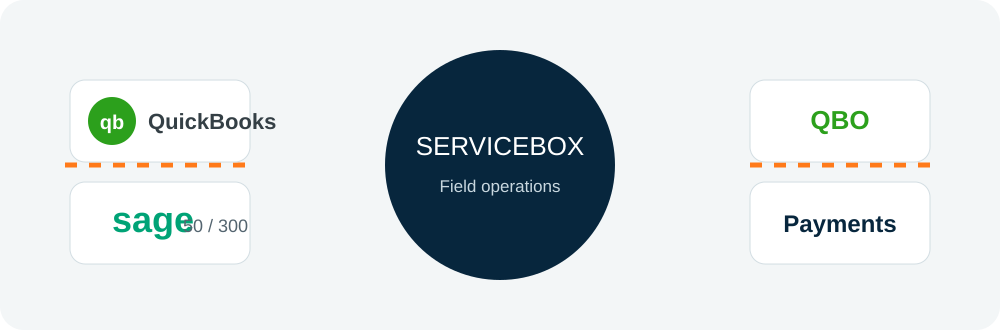
From field work to financial records
Connect field service software to your accounting system so your team can spend less time on manual data entry. ServiceBox keeps the job details together, your office reviews the billing, and approved information moves to QuickBooks or Sage.
Move reviewed job and invoice data forward without recreating the same transaction, helping billing start sooner after job completion.
Keep invoice, payment, tax and customer context easier to review so missing mappings and incomplete records are caught earlier.
Define when records are ready to transfer, who owns exceptions, and preserve labour, material and purchasing context for supported job-cost reporting.
Accounting integration capabilities
Your accounting integration is set up around the system you use, the information you want to move, and who approves it. That keeps the workflow useful without making every system behave the same way.
Keep customer names, billing details and IDs aligned with your accounting workflow.
Give operations and finance a cleaner customer record with less duplicate data entry.
Move approved invoice information into your accounting system after the office has reviewed the job.
Support faster invoicing without rebuilding the same job in two systems.
Keep supported payment status and invoice information connected to the same customer record.
Make it easier for the office and finance team to see what is paid and what still needs attention.
Match ServiceBox tax settings to the codes your accounting platform expects.
Reduce tax-code cleanup before invoices reach accounting.
Match labour, materials and services to the products, services or accounts used in accounting.
Keep revenue and cost details easier to understand after the job is billed.
Keep supported vendor, purchasing and cost information connected to the job that created it.
Give purchasing and accounting better context when reviewing job costs.
Keep labour, materials and purchasing tied to the job for better job costing. What reaches accounting depends on the integration and setup you choose.
See the operational story behind the numbers in your financial reports.
See when a supported transfer needs attention and give the right person the information to fix it.
Keep problems visible instead of losing them between disconnected systems.
Choose who can approve, send, review or correct accounting-related records.
Keep financial handoffs controlled without slowing the team down.
Decide what moves, when it moves and who fixes issues before the accounting integration goes live.
Set up the connection around the way your business actually works.
Connected accounting workflow
Here’s what that looks like on a real service call: the technician records the work, the office reviews what should be billed, ServiceBox sends the supported information to QuickBooks or Sage, and finance checks the result.
The technician records the job, time, materials and notes once in the ServiceBox mobile app. The office gets the details it needs for billing without chasing paper, texts or spreadsheets.
The office checks the customer, time, materials, pricing and tax before creating the invoice. Missing information is easier to catch before the bill goes out.
The accounting integration moves the supported invoice and related records to QuickBooks or Sage. What moves and when depends on the accounting system and how the connection is set up.
Finance checks the accounting record, payment status and financial data. If something fails, the right person can see the issue and fix it before it becomes cleanup later.
Configuration and adoption
Your ServiceBox onboarding specialist helps you choose the accounting connection, map the important fields, decide who approves what, test real examples and go live with a process your office and finance teams understand.
Confirm the accounting product you use, the version, and the access needed to connect it.
Review the current setup details for QuickBooks Online, QuickBooks Desktop, or Sage 50 Canada.
Match customers, taxes, products, services, accounts and payments so the same information means the same thing in both systems.
Decide when a record is ready to move and who fixes it if something needs attention.
Test real invoices, payments, credits and taxes before your team depends on the integration every day.
Clear expectations
Not every accounting integration works the same way. Decide where payments are entered, how invoice corrections are handled, and what your team should do when a transfer fails.
Validated by ServiceBox customers
QuickBooks Online customer example
Spectrum Air Solutions in Cambridge, Ontario uses ServiceBox for customer history, work orders, quoting and invoicing, with QuickBooks Online supporting its accounting workflow.
Read the Spectrum Air Solutions customer story →“I love that everything is in one location & we've gone completely paperless.”
“It has proven easy for our Technicians and Admin team to utilize and our Customers get a great end product too.”
ServiceBox is easy to use, highly configurable and supported by a friendly team that continues to check in.
Capterra and Software Advice share a Gartner Digital Markets review pool, so their review counts are not combined. Summarized reviews are clearly labelled.
Questions contractors ask
A field service accounting integration connects the work your team manages in ServiceBox with your accounting software. It helps reduce duplicate data entry by moving supported customer, invoice, payment, inventory and purchasing information after your team has reviewed it.
ServiceBox supports QuickBooks Online, QuickBooks Desktop and Sage 50 Canada. The exact setup and supported information depend on the accounting product and your workflow.
Yes. Supported information can move from your field service workflow into accounting so your office team does not have to re-enter the same details. Your finance team still reviews and reconciles the accounting records.
No. ServiceBox manages field service operations such as scheduling, job details, technician work, purchasing and billing. QuickBooks or Sage remains the financial system of record.
Confirm the accounting product, the information you want to move, who approves it, and how your team will handle exceptions. ServiceBox onboarding helps map and test that workflow before you rely on it day to day.
Built For Canada
ServiceBox is Canadian-built field service software for commercial contractors, with supported accounting workflows for Sage 50 Canada alongside QuickBooks Online and QuickBooks Desktop.
See why ServiceBox is Built For Canada →.webp)
Keep customer sites, technician work, invoicing and purchasing in ServiceBox while supported records move to your accounting system.
No generic product tour
Bring an invoice, payment, tax rule or accounting issue your team handles today. We’ll show you how the field-to-accounting handoff would work and what needs to be set up.