
Keep every service location visible
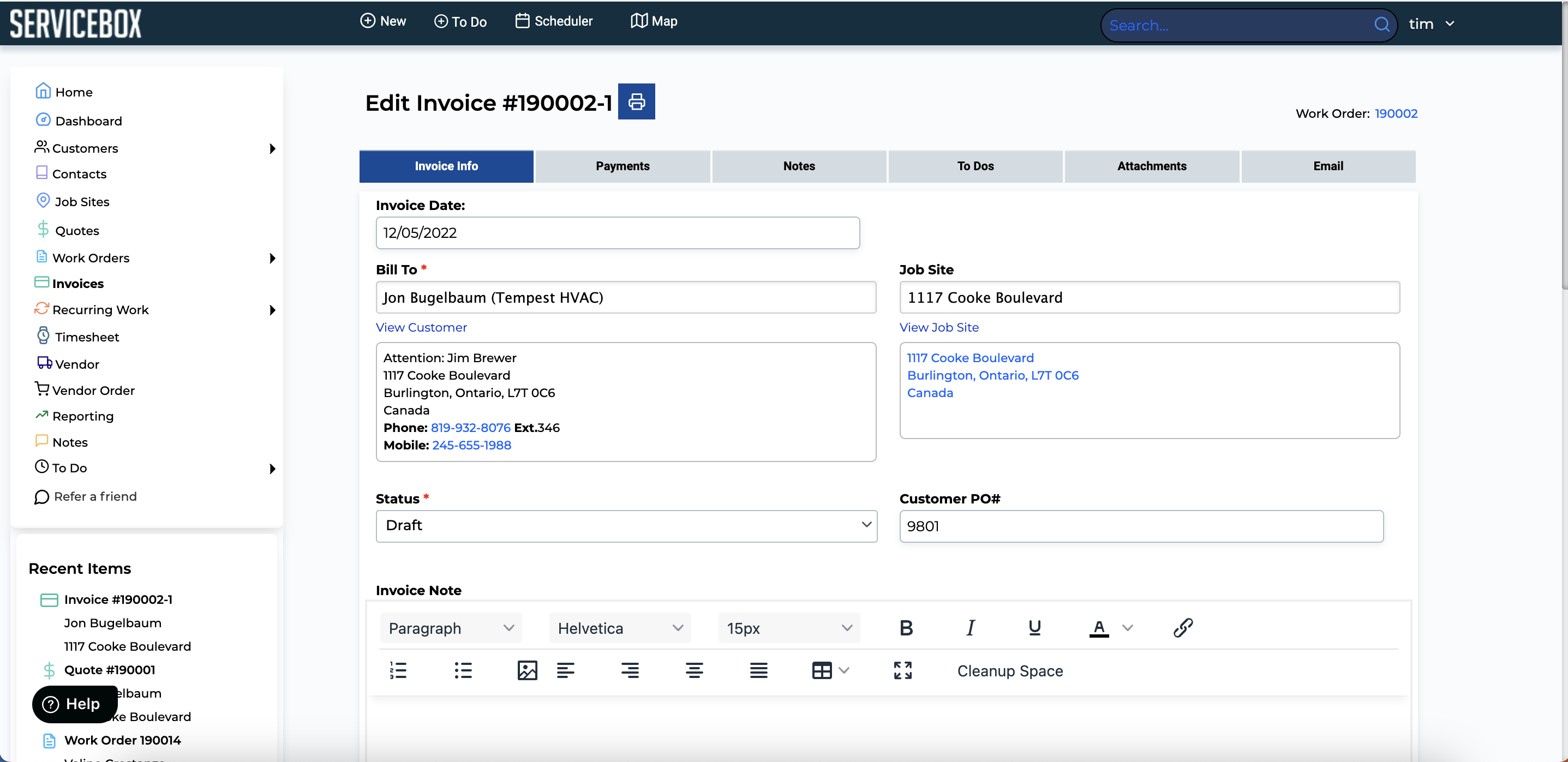
ServiceBox preserves each job site and its history even though Sage represents the serviced location as invoice shipping context rather than a sub-customer.
ServiceBox + Sage 50 Canada
ServiceBox gives Canadian field service businesses one place for dispatch, technicians, purchasing and billing, then moves supported customers, invoices, payments, inventory use, vendors and vendor orders into Sage 50 Canada. This reduces manual data entry while Sage remains your accounting system.
For field service companies using Sage 50 Canada, ServiceBox acts as the field service management software for scheduling, service history, job completion, job costing and purchasing. Field technicians and office staff can work in one system while Sage handles accounting. When job information is ready sooner, invoice generation can move sooner too, which can reduce billing delays and support healthier cash flow.
Why it matters to the business
The value of the Sage 50 Canada integration is not moving data for its own sake. It is helping each team complete its work once, preserve the commercial context and give accounting a transaction it can trust.
ServiceBox preserves each job site and its history even though Sage represents the serviced location as invoice shipping context rather than a sub-customer.
Map taxes, revenue categories, items, notes, numbering and location context before the transaction reaches Sage.
Track vendors and vendor orders in the operational workflow and create the supported Sage receipt transaction when goods are received.
Capture accurate field time in ServiceBox and define a separate payroll handoff because automatic Sage timesheet sync is not supported.
The operating model
Import a clean customer and item foundation, then use ServiceBox as the operational record while Sage remains responsible for accounting and financial reporting.
Customers, sites, equipment, work, time, materials and purchasing stay connected in ServiceBox.
The office confirms invoice, tax, revenue-account, item, vendor and location context.
The connector moves supported records into the authorized Sage company file.
The accounting owner reviews Sage results and resolves connector exceptions through the correct source record.
What the integration supports
Every accounting record has a direction, an owner and a condition. These details are reviewed during onboarding so your team does not discover them after launch.
Import supported Sage customers and export supported ServiceBox customers.
Payment terms do not synchronize; create, update and link actions should be previewed.Maintain complete location records in ServiceBox and place the selected location on Sage invoices as shipping context.
Sage does not provide a matching sub-customer model, so sites do not synchronize as independent Sage customers.Send supported invoices with customer, shipping context, items, prices, taxes, notes, numbering and revenue mappings.
Correct a synchronized invoice by deleting it in Sage, fixing ServiceBox and synchronizing again.Send supported ServiceBox payments and return fully paid invoice status.
Use one payment-entry source; multi-user conditions can affect automatic payment behavior.Capture technician time against the ServiceBox work order for operational review and costing.
Automatic timesheet export to Sage 50 Canada is not supported.Import supported Sage items for operational use and match invoice lines by exact name.
ServiceBox does not create Sage inventory items, and Sage pricing updates do not synchronize through the SDK.Reduce Sage quantity on hand when an exact-matching item appears on a synchronized invoice.
This is not full two-way inventory or pricing synchronization.Map ServiceBox categories to Sage revenue accounts.
Expense accounts are not assigned automatically and the chart of accounts must be reviewed.Import and export supported vendor records.
Duplicate and incomplete vendors need cleanup and linking.Export supported vendor-order activity and create a Sage receipt transaction when an order is received.
Posted transactions follow controlled correction rules rather than unrestricted editing from ServiceBox.Operate several branches inside ServiceBox while preparing approved records for one Sage company file.
Branch, document, tax and revenue-account mappings require a defined centralized process.Value across the team
Use detailed customer and job-site history without forcing service teams into the Sage customer structure.
Prepare mapped invoices from completed operational records and reduce re-entry before accounting.
Keep supplier orders and receipts connected to the work and visible before the accounting transaction is created.
Maintain Sage controls, taxes, revenue accounts and reconciliation with a clearer operational source.
Validated by ServiceBox customers
“I love that everything is in one location & we've gone completely paperless.”
“It has proven easy for our Technicians and Admin team to utilize and our Customers get a great end product too.”
ServiceBox is easy to use, highly configurable and supported by a friendly team that continues to check in.
Capterra and Software Advice share a Gartner Digital Markets review pool, so their review counts are not combined. Summarized reviews are clearly labelled.
Guided implementation
ServiceBox onboarding works with the operational and accounting owners to establish record ownership, prepare data, map the connection and test real scenarios.
Verify the edition, version, company file, deployment, administrator credentials and third-party application rights.
Clean customers, vendors and items; confirm taxes, revenue accounts, invoice start date and payment ownership.
Use the required Sage user state and Windows rights on the machine or server holding the company file.
Test representative invoices, payments, inventory and vendor receipts, then establish a daily connector review.
Clear fit, fewer surprises
Accounting integrations are dependable when the boundaries are understood. We would rather qualify the workflow clearly than promise that every record synchronizes both ways.
Sage 50 Canada integration FAQ
Yes. ServiceBox connects field service operations with Sage 50 Canada through the ServiceBox Accounting Connector. ServiceBox handles the day-to-day service workflow while Sage remains the accounting system.
Supported customers, invoices, payments, inventory use, vendors and vendor orders can move through the integration after setup and review. Exact behaviour depends on your Sage configuration and the workflow your team chooses.
Yes. Once the workflow is configured, supported information can move into Sage without your office staff re-entering the same details. Your accounting team still reviews and reconciles the financial records.
No. ServiceBox records technician time for field service management, but automatic Sage 50 timesheet synchronization is not supported. Your onboarding plan defines the separate payroll or accounting handoff.
ServiceBox keeps job details, material use and purchasing connected to the service work. Exact-matching invoice items can reduce Sage quantity on hand, and supported vendor orders can create receipt transactions. It is not a complete two-way inventory or pricing sync.
No generic product tour
We will review your customer structure, job sites, invoices, payments, items, purchasing process and accounting environment—then show where ServiceBox fits and where important limitations apply.