
Job details in hand
Technicians see the schedule, customer, job site, equipment and work-order context they need.
Field Service Mobile App
Give technicians schedules, customer history, work orders, photos, checklists, time tracking, signatures, invoicing and payment tools from a supported smartphone, tablet or browser.
The operational outcome
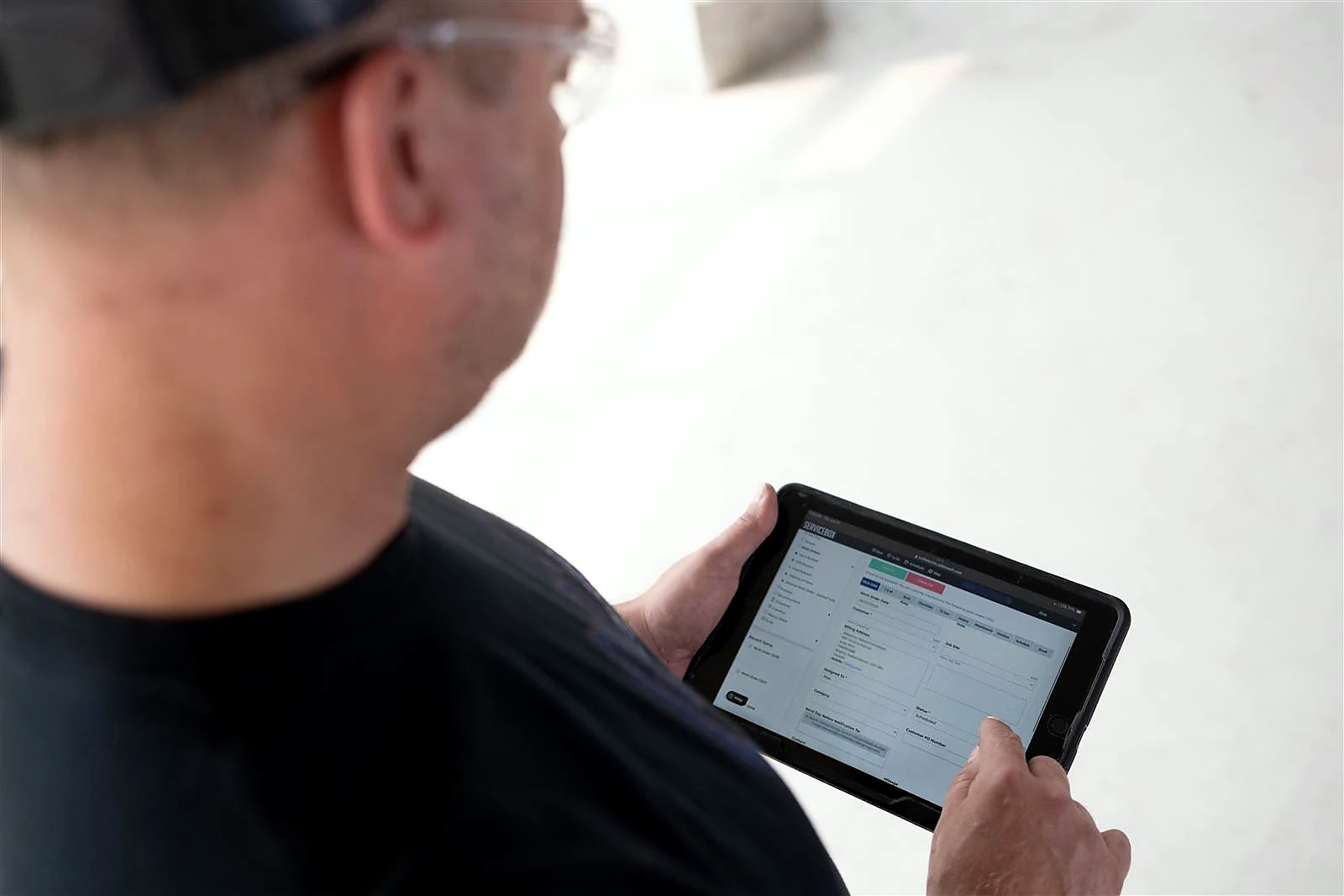
Technicians can view schedules and work orders, open customer, job-site and equipment history, record time and materials, complete forms and checklists, add photos and notes, capture signatures, and support invoicing and payment workflows from a supported device.
Technicians see the schedule, customer, job site, equipment and work-order context they need.
Schedule changes, status updates, notes and photos move between dispatch and the field without phone tag.
Capture time, materials, checklists, signatures and billing details while the work is still fresh.
Inside the field service mobile app
Each mobile capability stays connected to the customer, job site, work order and billing workflow around it, reducing duplicate entry between the field and office.
See assigned jobs, schedule changes, priorities and dispatch details from the field service mobile app.
Technicians know where to go next without calling the office.
Open customer contacts, site notes, access instructions, equipment and service history from the job.
The technician arrives with the context previous visits already earned.
Review scope, descriptions, tasks, materials, attachments and information connected to the active work order.
Field staff can complete the right work with fewer clarifying calls.
Add job photos, internal notes, documents and supporting files from a supported mobile device.
The office sees a clearer record of conditions, work completed and follow-up needs.
Complete required checklists and role-specific field documentation while the technician is still on site.
Important steps are standardized instead of being left to memory.
Record job time, travel, labour and supported check-in or check-out activity from the field.
Billable time reaches review with less reconstruction at the end of the day.
Update work-order status and receive schedule, dispatch or priority changes as the day moves.
Dispatch and technicians work from a more current view of the day.
Capture customer approval or completion signatures directly in the field service mobile app.
Completion evidence stays connected to the correct work order.
Prepare supported invoice steps, review job information and collect payment information from the field workflow.
Completed work can move toward billing and payment without returning to the shop.
Use ServiceBox from supported smartphones, tablets and laptops through the mobile app or browser experience.
Field teams can use familiar devices while staying connected to the same operational system.
How it helps the business
The app creates value when it removes office callbacks, improves documentation and helps completed work reach billing sooner.
Technicians can find customer, site, equipment and work-order information without waiting for the office.
Photos, notes, checklists, time and signatures are captured while the technician is still close to the work.
Completed field information reaches the office sooner, reducing the delay between service and invoice preparation.For a trade-specific example, see the electrician mobile invoicing workflow.
A focused field service mobile app gives technicians the tools they need without forcing them through an office-heavy workflow.
One connected workflow
Each role adds the information it owns, and the next person receives the updated job record instead of starting over.
Assign the work, priority, schedule and technician from the office.
Review context, complete tasks and capture the field record on a supported device.
Review work, sign completion and complete supported payment steps.
Receive status, time, materials, notes and documentation for review and invoicing.
Configuration and adoption
ServiceBox onboarding connects mobile access to permissions, statuses, required documentation and field-to-office handoffs, then tests the process with real jobs.
Decide which customers, work orders, financial details and actions each field role should be able to see or change.
Choose the statuses, notes, photos, checklists, time and signatures required before a job is considered complete.
Align mobile forms, alerts and communication steps with the type of service work your team performs.
Practice the field service mobile app using familiar work orders before technicians use it independently.
Clear expectations
Strong adoption depends on device access, permissions, connectivity and clear ownership of the information technicians are expected to capture.
Guided adoption
Technicians adopt mobile software when it removes friction from their day. Training focuses on the few actions each field role owns, using jobs the team already understands.
Questions contractors ask
ServiceBox is designed around focused field workflows rather than a complex office interface. Technicians can find schedules, customer details and job information on familiar devices, then add notes, photos, time and completion details without driving back to the shop or calling the office for routine information.
The return comes from reducing callbacks, paperwork and duplicate entry, while helping work move from dispatch to completion and billing faster. Better mobile documentation can also improve schedule visibility, invoicing speed and the accuracy of the job record used by the next technician.
Built For Canada
ServiceBox is Built For Canada, shaped around the day-to-day realities of commercial service businesses. That means workflows built for customer sites, equipment history, recurring service, field teams, invoicing and Canadian accounting—not a generic US-first system your team has to work around.
See why ServiceBox is Built For Canada →.webp)
From commercial HVAC and plumbing to electrical and multi-trade teams, ServiceBox connects the full service workflow while supporting Canadian needs like Sage 50 Canada handoffs and human implementation support.
No generic product tour
Bring the field steps, paperwork, exceptions and device requirements your technicians handle today. We will show the connected mobile workflow and identify what needs to be configured.