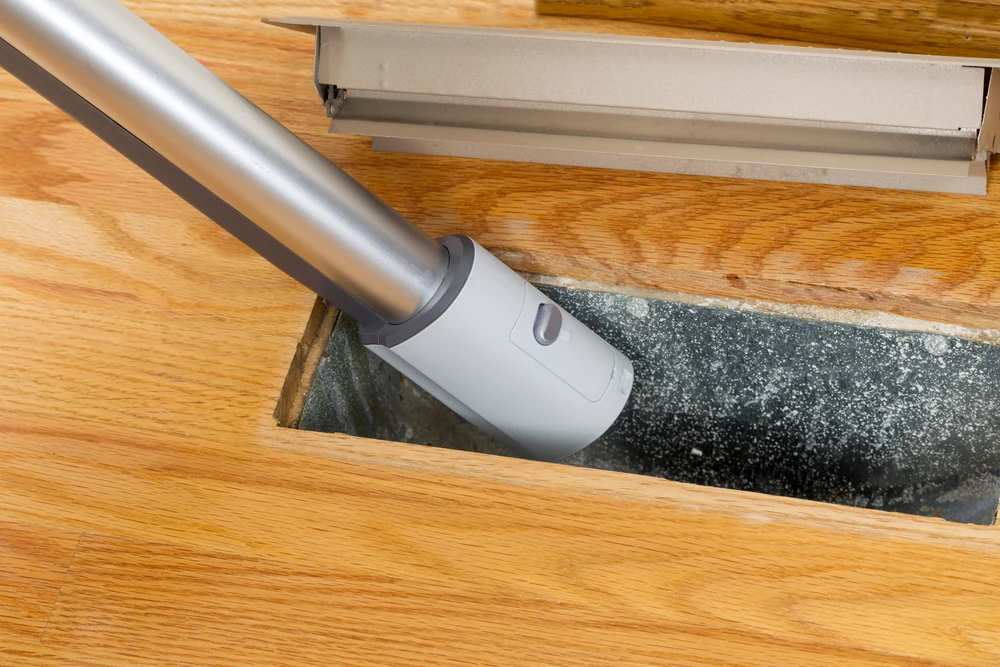
Duct cleaning businesses can serve more customers reliably when the office has a clear view of crew capacity and each technician receives the correct job information in the field. The goal is not to automatically route every technician. It is to keep scheduling, work orders, field documentation, time, and billing connected.
ServiceBox provides field service management software for scheduling crews, sending work orders to supported mobile devices, recording job details, and carrying completed work toward invoicing.
1. Organize Crew Capacity With a Visual Schedule
ServiceBox uses a drag-and-drop schedule so office teams can see assigned work, open time, and crew capacity. Dispatchers can move work when priorities change and group technicians into teams where that fits the operation.
For new jobs, the dispatcher should consider customer commitments, skill, workload, expected job duration, equipment, and available location context rather than assuming the closest technician is automatically the right choice.
Explore scheduling and dispatch.
2. Send the Work Order to the Field
When the job is scheduled, technicians can receive the customer, service location, work-order scope, and other job details on supported mobile devices. That reduces the need to return to the office for paper instructions or rely on multiple text messages.
3. Keep Property and Service History Connected
Repeat duct-cleaning customers may return on a periodic basis. Keeping customer and property history connected helps the office and field teams understand previous work, notes, and service details before the next visit.
4. Record Time Without Treating GPS as Automatic Verification
ServiceBox supports technician check-in/check-out and labour entries tied to work orders. These records can reduce paper timesheets and give the office a current view of submitted labour.
Location information may add context where configured, but it should not be described as automatically filling timesheets, proving hours worked, or determining payroll without technician actions and office review.
5. Capture Photos, Notes, and Completion Details
Duct-cleaning work can benefit from before-and-after photos, notes, checklists, signatures, and other service documentation. ServiceBox keeps that field information connected to the work order so the office can review the completed record and future teams can access the service history.
6. Move Completed Work Into Invoice Review
When a job is completed, the office can review labour, materials, photos, notes, and other field records before preparing the invoice. This reduces the need to reconstruct the service from paper records.
The invoice should still be reviewed according to the company's pricing, tax, and billing rules before it is sent.
Explore quoting and invoicing.
7. Use Recurring Service Where It Fits the Customer
Some customers may need repeat duct-cleaning or inspection work. The appropriate interval depends on the property, equipment, operating conditions, customer needs, and professional guidance.
ServiceBox supports recurring scheduling so the company can configure planned work instead of relying on hard-coded intervals in a generic article.
What to Look for in Duct Cleaning Software
- visual scheduling and crew capacity
- mobile work orders
- customer and property history
- field photos, notes, and forms
- technician labour tied to the job
- recurring scheduling where appropriate
- invoice review and accounting handoff
See a Duct Cleaning Workflow in ServiceBox
Bring a typical service call to a ServiceBox demo. Follow it from scheduling through the technician's mobile work order, field documentation, office review, and invoicing.