Workiz Alternative for Canadian Field Service Contractors
Workiz offers scheduling, customer communications, AI-assisted call handling, recurring service plans, inventory and QuickBooks Online and Desktop connections. ServiceBox is another field service management option for Canadian commercial HVAC, plumbing, electrical and multi-trade contractors that need customer sites, equipment history, preventive maintenance, purchasing and accounting handoffs in one operational workflow. Compare the specific features and plans you need.
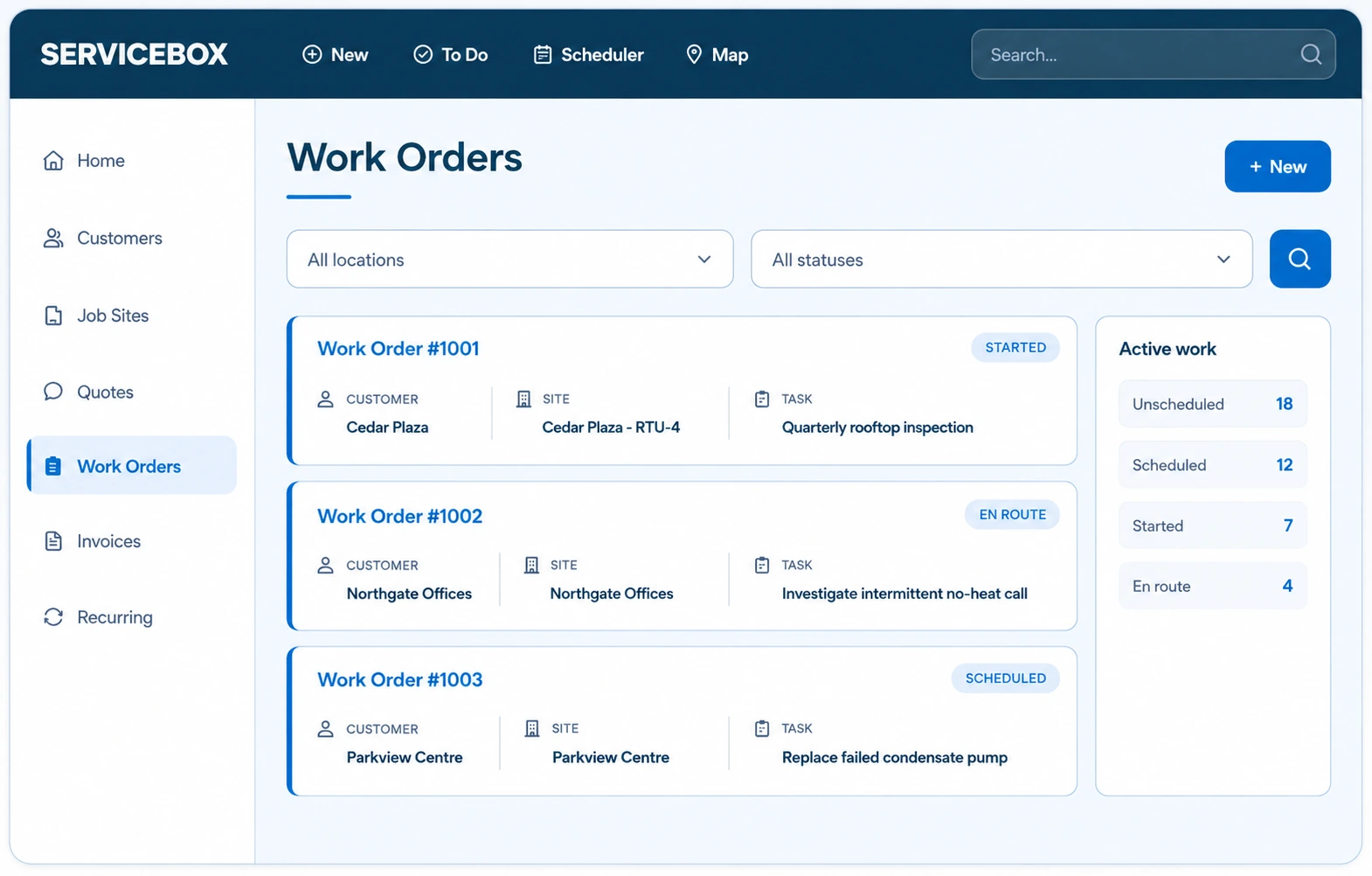
Keep customer, site and equipment context together.
02
Schedule with context
Assign work with history, access details and scope attached.
03
Complete the field record
Capture time, materials, notes, photos and forms.
04
Move work forward
Carry completed details into invoicing and accounting review.
A practical buying decision
Choose Workiz or ServiceBox based on your work
Both are established field service platforms. Choose by the work you manage and the features in the plan you would actually buy, not by a generic winner badge.
Choose Workiz when...
Your business is call- and appointment-heavy and benefits from Workiz customer communications, job scheduling, estimates, payments and optional phone and AI tools. Confirm which plan includes any advanced inventory or service-plan features you require.
Consider ServiceBox when...
Your commercial HVAC, plumbing or electrical service work requires equipment-level maintenance history, multi-site customer records, purchasing and Sage 50 Canada as a possible accounting connection.
The right comparison includes a real customer, scheduled job, field record and accounting handoff in both systems.
Both platforms have overlapping field service features. The table identifies published capabilities and practical questions to verify before purchasing. Plan availability and regional compatibility can change.
What to compare
Workiz
ServiceBox
Best starting point
Call-heavy service operations, scheduling, CRM and payments
Commercial work organized around customer sites and equipment
Recurring work
Recurring service plans and scheduled work; confirm plan details
Recurring preventive maintenance linked to site and equipment records
Inventory and materials
Warehouse and vehicle inventory features; verify tier and purchasing steps
Premium includes inventory, vendor purchasing and materials linked to work orders
Accounting
QuickBooks Online and Desktop integrations; published Workiz-to-QuickBooks sync
ServiceBox vs Workiz: Commercial Operations, Inventory and Accounting
Both platforms cover dispatch, field technicians, payments and customer information. Workiz also offers inventory and recurring service plans. The right fit depends on whether your company focuses on incoming calls and home-service bookings, or needs detailed commercial job sites, maintained equipment, purchasing and work-order history.
01
Commercial workflow depth beyond dispatch
ServiceBox keeps quotes, work orders, customer sites, equipment history, recurring maintenance, field documentation, materials, invoicing and accounting connected so the next person can continue from the same record.
02
Accounting fit across QuickBooks and Sage
Workiz's official integration page lists both QuickBooks Online and QuickBooks Desktop and describes one-way data flow from Workiz to QuickBooks after setup. ServiceBox supports configured connections with QuickBooks Online, QuickBooks Desktop and Sage 50 Canada. Confirm supported accounting editions, invoice and payment mapping, sync direction and error handling for your company.
03
Compare plan structure, not just entry price
Workiz publishes Standard, Pro and Ultimate plans with varying features, user allowances and add-ons. ServiceBox has Standard and Premium plans starting with six licensed users and an Enterprise option. Verify currency, inventory and recurring-work access, onboarding and accounting configuration before comparing total cost.
Connected commercial workflow
Inventory, preventative maintenance and mobile execution stay connected.
ServiceBox is designed to keep commercial service details connected as work moves from the office to the field and back again.
01
Inventory tied to work, purchasing and job cost
Workiz offers inventory tracking across stock locations and vehicles. ServiceBox Premium includes material visibility, inventory, purchasing and vendor orders connected to work orders and job costs, plus multi-location operations. Demonstrate a real material purchase, warehouse transfer and completed job in both products before comparing depth.
02
Recurring maintenance with equipment context
Workiz offers recurring service plans with scheduling and billing tools. ServiceBox supports preventive maintenance scheduled against a commercial site and equipment record, using checklists, past technician findings and completed work orders. Compare agreement terms, asset-level service history and recurring invoice requirements.
03
Mobile field records that return to the office
Technicians can work from the connected job record, capture time, notes, photos and job details in the field, and return that information to the office without rebuilding the work order.
Built for operational growth
One system for mixed service, maintenance and project work.
Run reactive service, recurring maintenance, quoted work and projects across multi-site commercial customers while keeping equipment records, service history and billing context connected.
01
Commercial service, maintenance and project work in one system
Manage straightforward service calls alongside multi-site commercial customers, equipment records, recurring agreements and more complex billing requirements.
02
Recurring work connected to equipment history
Recurring schedules, equipment-level checklists and completed service records stay connected so planned work builds on what happened before.
03
Guided implementation around your workflow
ServiceBox onboarding covers administrator setup, accounting mapping, technician training and progressive go-live support so the system reflects how the operation actually works.
Sources and buying criteria · Reviewed 6 November 2026
Workiz vs ServiceBox: Verified features, plans and integration facts
These are published product facts, not a claim that one vendor lacks a feature unless its documentation explicitly says so. Availability may depend on country, accounting version, plan, add-ons and billing term. Ask both providers to demonstrate the same job before committing.
Evaluation area
Workiz
ServiceBox
Vendor source
Plan and pricing
Standard, Pro and Ultimate feature tiers; the pricing page asks buyers to request pricing.
Standard/Premium have six included licenses; compare monthly/annual terms and add-ons.
What Canadian contractors should check before choosing
Accounting: Confirm the precise QuickBooks Online, QuickBooks Desktop or Sage 50 Canada edition and connector workflow. Do not assume two-way synchronization of every field.
Taxes and invoices: Test your actual GST/HST/PST configuration, invoice approval process and province-specific tax treatment; tax mapping needs verification in the chosen system.
Sage 50 Canada: ServiceBox can move supported invoices and other records into Sage, but it does not automatically synchronize Sage timesheets or a complete two-way inventory and price list. See the documented limitations.
Plan cost: Compare your full team size, currency, onboarding, storage, add-ons, implementation and annual commitment rather than only the starting price.
A real commercial workflow to test in both systems
Illustrative example: An electrical service business handles urgent customer calls alongside recurring commercial equipment inspections and needs clear technician, parts and billing records. This is a sample evaluation scenario, not a customer result or measured performance claim.
Receive an urgent electrical call and identify the customer's commercial location and equipment.
Dispatch the technician with job details while preserving the scheduled service-plan visit.
Record inspection results, time, materials, photos and follow-up work from the field.
Compare a purchase order and inventory movement under the plan you would purchase.
Send the approved invoice to accounting and check the exact QuickBooks sync direction.
Ask the vendors to show the final customer, site and equipment history after closing the job, not only the first scheduling screen. For an independent ServiceBox customer example, explore Full Throttle or Croft Electric.
See the ServiceBox product before comparing
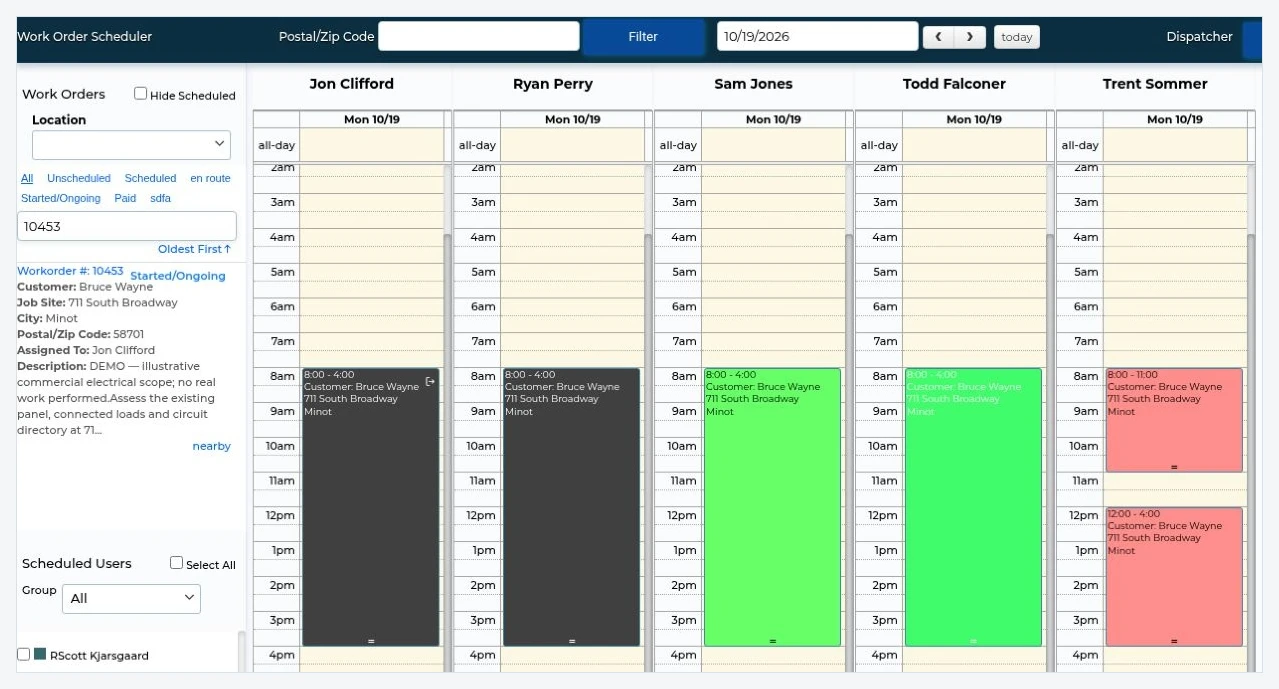
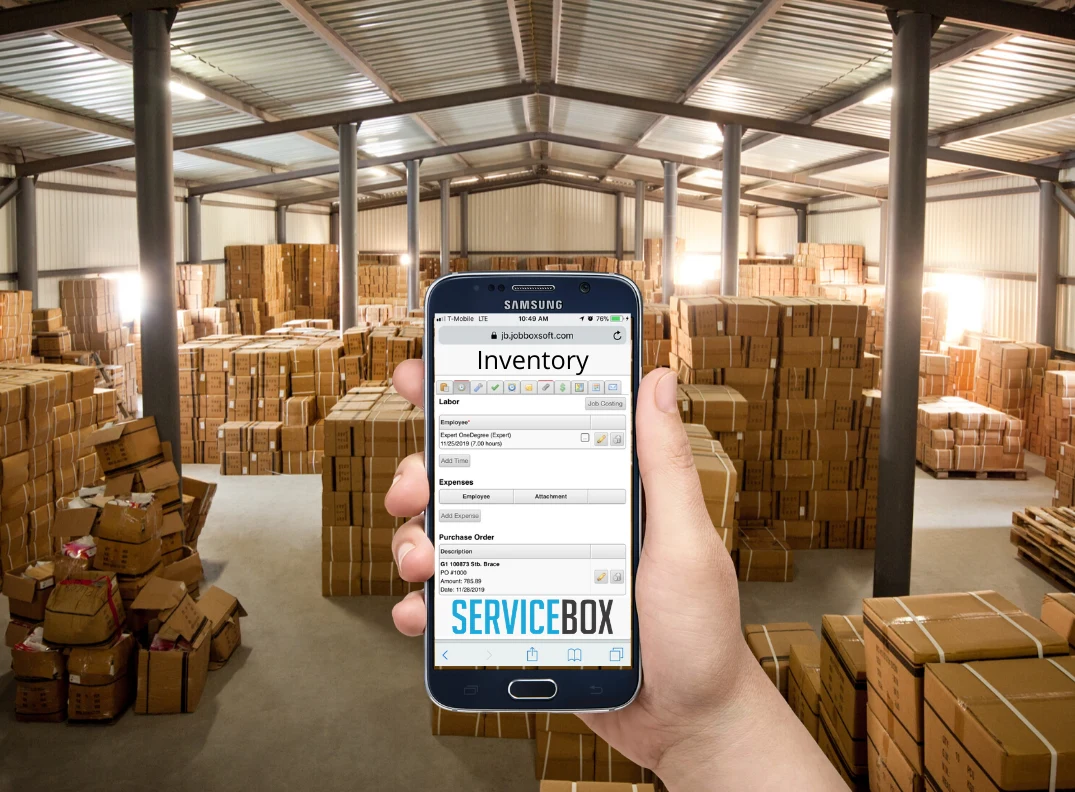
These are representative ServiceBox visuals, not Workiz screenshots. Functions and permissions vary by plan, and the actual configuration should be tested in a demo.
Dispatch and technician scheduling. Click to expand.Inventory and materials workflows. Click to expand.
Switching software is a data and workflow project, not simply creating a new login. A practical migration plan should include:
Inventory the data: Request a complete list of exportable customers, contacts, locations, equipment, open work orders, quotes, agreements, unpaid invoices, photos and attachments from your current provider.
Define the import scope: Agree which records ServiceBox can import, which need mapping or cleaning, and which historical files must remain archived. Do not assume every record transfers automatically.
Map commercial relationships: Check that each customer, job site and asset is linked correctly; preserve recurring service frequencies and future visits.
Test accounting: Validate tax codes, customer matching, invoice numbering, payment ownership and which ledger remains the financial source of truth.
Pilot before cutover: Run representative dispatch, maintenance, purchase and invoice scenarios, train office and field roles, and agree a cutover and historical-access plan.
Comparison methodology: Public first-party pricing, plan and support pages were reviewed on 6 November 2026. Feature access and regional restrictions may change without notice; confirm current terms and demonstrate mission-critical workflows with both providers. No competitor pricing or limitations are inferred from third-party lists.
Frequently asked questions about Workiz alternatives
Answers for Canadian HVAC, electrical, plumbing and commercial service contractors comparing field service management software.
What does Workiz field service software do?
Workiz supports scheduling, customer and call management, invoicing, payments, inventory and recurring service plans. Availability depends on plan and add-ons.
Does Workiz integrate with QuickBooks?
Yes. Workiz lists QuickBooks Online and QuickBooks Desktop integrations. Test edition support and which records sync. ServiceBox also supports QuickBooks Online, QuickBooks Desktop and Sage 50 Canada workflows.
Does Workiz offer inventory management?
Yes. Workiz has inventory management. Compare warehouse stock, vehicles, vendor purchasing and job-material tracking with ServiceBox Premium using a sample job.
When is ServiceBox a useful Workiz alternative?
For Canadian commercial contractors that need customer sites, equipment history, preventive maintenance and purchasing in a connected work-order system, especially when Sage 50 Canada is in use.
More questions to ask when comparing Workiz with ServiceBox
Answers based on current vendor documentation and real migration considerations for Canadian commercial field service teams.
Which Workiz plan includes inventory, service plans and purchase orders?
Workiz's published feature comparison lists inventory management, service plans, purchase orders and equipment tracking under Ultimate. Verify the current tier and any add-ons before buying.
Is Workiz's QuickBooks synchronization two-way?
Workiz describes ongoing data flow from Workiz into QuickBooks after initial connection and import. Ask the vendor to demonstrate which customers, invoices, payments and expenses sync and whether your Desktop edition is eligible.
Where can Workiz be the better fit?
Workiz may suit a call-heavy service company that needs an integrated phone workflow, online booking, customer messaging and optional AI products. ServiceBox may suit a commercial team that prioritizes site and equipment histories and recurring maintenance.
What should we test when moving from Workiz?
Test exports for customers, site details, job notes, service agreements, inventory balances and outstanding invoices. Confirm what migrates into ServiceBox and run an accounting sync test before setting the cutover date.
Review Workiz's official pricing and documentation and get a written migration scope before choosing. Book a ServiceBox comparison demo.
Workflow demo
Bring the Workiz workflow you want to compare in detail.
Show us the inventory, recurring maintenance, accounting or field handoff your team depends on and we’ll walk through how ServiceBox handles it.