01 · Create
Open a work order directly, from a customer or job site, from an approved quote, or through planned recurring service.
Commercial field service work orders
ServiceBox helps commercial HVAC, plumbing, electrical and multi-trade contractors create, schedule, dispatch, complete, cost and invoice work orders using one connected record. Keep the customer, site, equipment, technician and billing context with the work from the first request through office review.
For commercial HVAC, electrical, plumbing, refrigeration and multi-trade service teams.
What it does
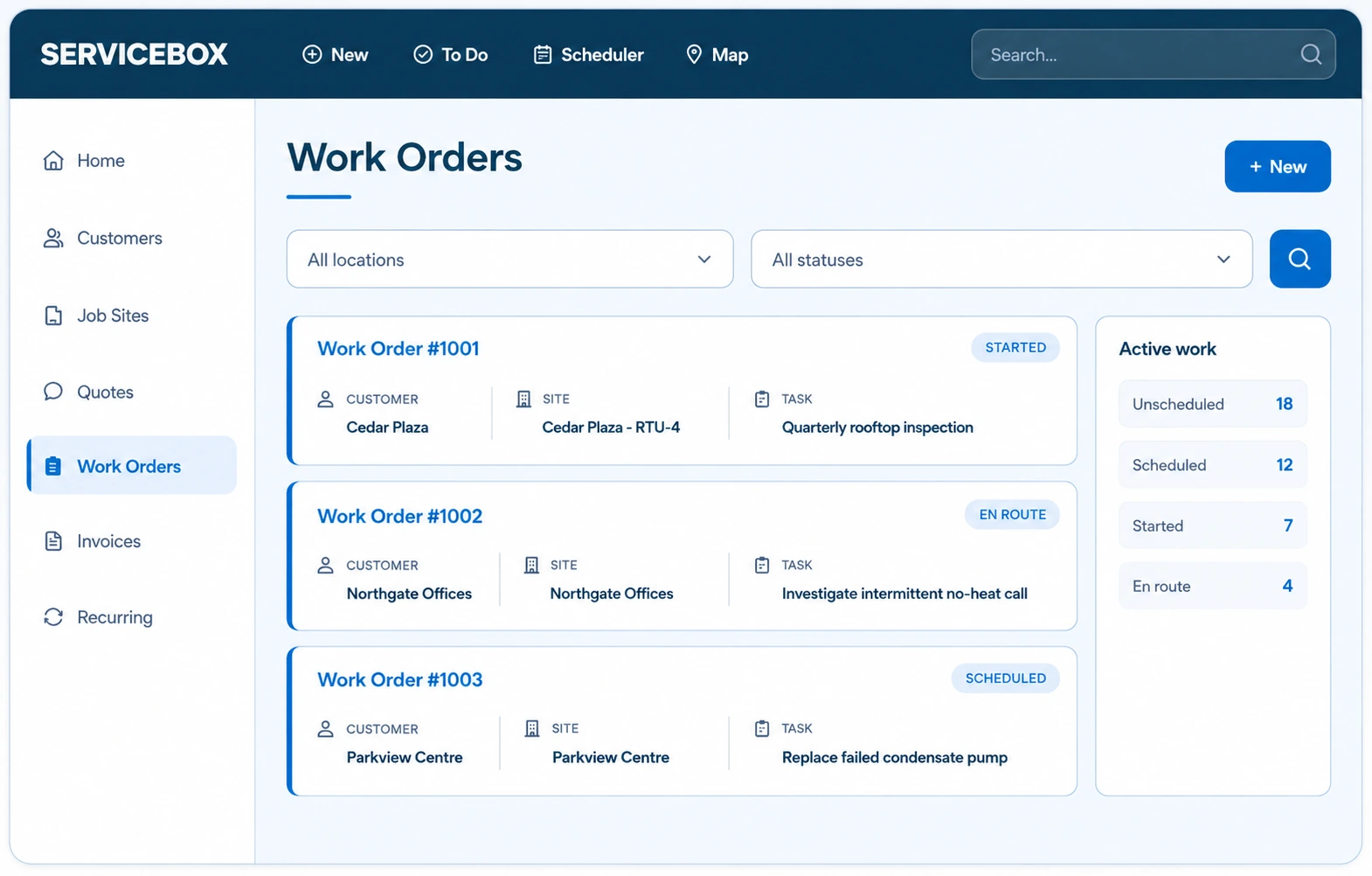
Commercial work-order software tracks an individual service task at a particular customer site, from creation and assignment through field work, completion and office review. In ServiceBox, a work order can connect site information, equipment, technicians, time, materials, notes and supporting documents.
A work order documents the specific visit.Job management coordinates the broader lifecycle, including quoting, job costs and invoicing. ServiceBox keeps the work order connected to that larger process.
End-to-end work order workflow
The same service record follows the handoff from office to technician and back.
Open a work order directly, from a customer or job site, from an approved quote, or through planned recurring service.
Connect the right service address, contacts, scope, job history and equipment.
Assign one or more technicians and dispatch the work order with site and job details.
Record hours, materials, service notes, checklists, photos and signatures when needed.
Confirm the work performed and identify missing field or billing information.
Use approved quoted scope or actual time and materials to prepare the appropriate invoice.
Learn more about scheduling and dispatch and quoting and invoicing.
Commercial site context
A commercial customer may have several properties, each with dozens of serviceable assets. Connect the order to the right customer, job site and equipment so the technician knows which unit needs attention and what happened on earlier visits.
Office to field
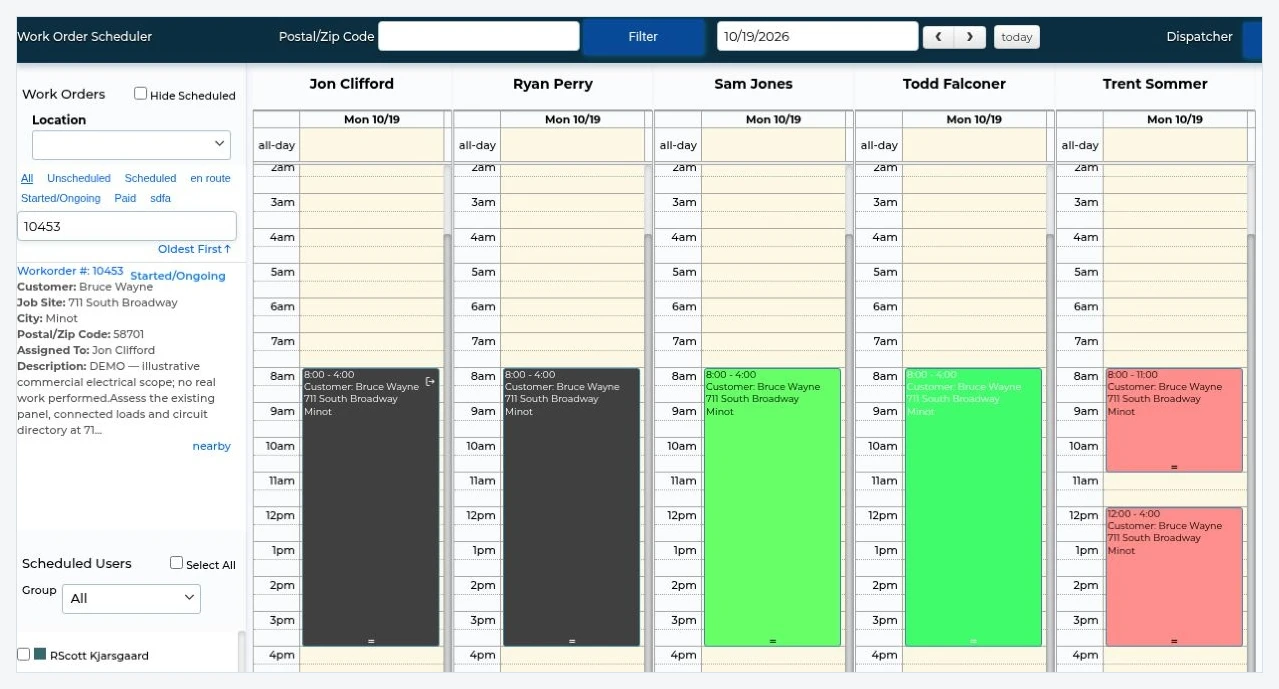
Scheduling keeps the work order tied to the technician assignment, service address and scope. Dispatchers can coordinate changes while technicians work from the same service context on mobile.
See work order assignments, status and schedule changes.
Access relevant job details and record the service visit.
Evidence from the field
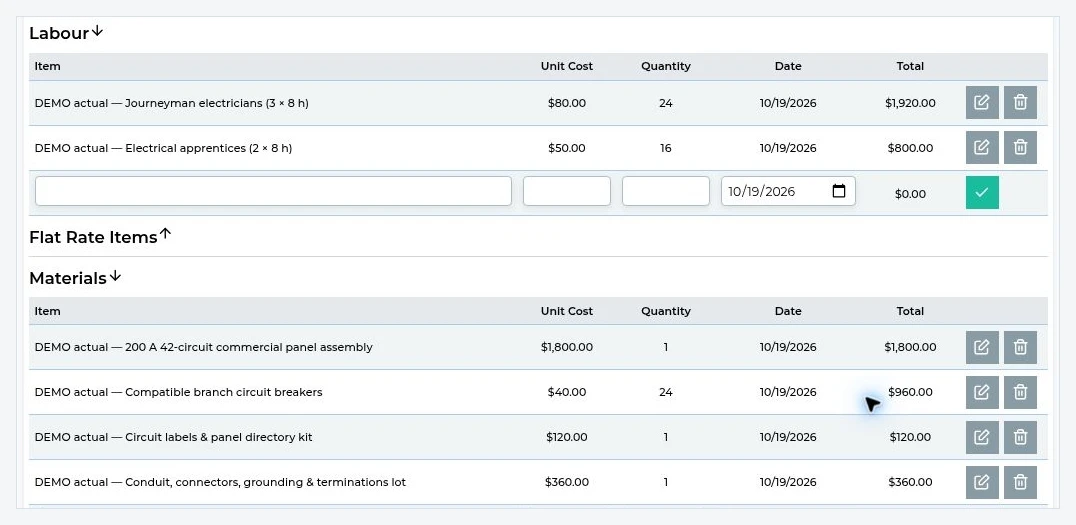
Technicians can record check-in/out or labour entries, materials used, service notes, photos, forms, checklists and signatures against the work order. The office can review those details before billing.
Record hours and parts associated with the visit.
Keep inspection notes, photos, forms and sign-off.
Exact workflows depend on configuration and plan entitlements.
Commercial service complexity
Commercial work is often more than a one-time appointment. Keep the next visit tied to the correct site and prior service history.
Generate repeat visits and use work-order checklists for periodic service and inspections.
Preventative maintenance →Learn more: checklists on recurring work orders.
Keep jobs associated with the right property, contact and equipment across a commercial account.
Multi-location service →Record inventory or non-inventory items and connect supported vendor purchasing activity when used.
Purchasing software →Related: track materials used on work orders.
Billing handoff
Review technician hours, material entries, service notes, photos and required documentation.
Review labour, materials and supported purchases against the work order and estimate. Office staff can use the approved quote or actual time and materials to prepare the invoice. Supported fixed-price and time-and-materials workflows depend on how the job is set up.
Create the invoice in ServiceBox. Supported accounting integrations include QuickBooks Online, QuickBooks Desktop and Sage 50 Canada; availability varies by setup.
Related: quotes and invoicing · accounting integrations
Industry-specific examples
A multi-visit rooftop-unit repair where the technician needs the building and unit history, previous findings, labour, parts and site photos. Each visit stays connected to the service record for follow-up and billing.
HVAC contractor software →An approved quote for a panel upgrade becomes a work order. The crew records labour, materials and service documentation; the office reviews actual job costs and related purchasing before billing.
Electrical contractor software →A property manager needs maintenance across multiple buildings. Track each site, its equipment and repeat service dates; document the visit and preserve the correct location and billing context.
Plumbing contractor software →On a complex site job, office staff assign the work, several technicians capture their time and findings, purchasing records relevant materials, and billing reviews one connected work-order record.
Commercial contractor software →Illustrative workflows, not customer-reported performance claims.
Frequently asked questions
A work order documents a particular service task or visit. Job management coordinates the broader lifecycle, including quoting, costs and billing. ServiceBox connects both.
Yes. Create a work order directly or from the customer or job site, or start from an approved quote.
Yes. Work orders can be scheduled and assigned to one or multiple technicians as the job requires.
Supported workflows include time, materials, photos, notes, checklists or forms and signatures, depending on configuration.
Yes. Recurring work orders and checklists can help document scheduled commercial maintenance visits.
Yes. Captured time and materials can support invoice preparation and office review.
Yes. The work order can be connected to the customer, job site and relevant equipment records.
Read the Work Orders user guide or support hub.
Related features and resources
See it in action
Walk through a real service workflow, from customer site to technician work and office invoicing, with the ServiceBox team.