Housecall Pro Alternative for Canadian Commercial Service Teams
Housecall Pro offers scheduling, online booking, estimating, invoicing, payments, service plans and customer communications for home-service contractors. ServiceBox is an alternative for Canadian HVAC, plumbing, electrical and multi-trade teams working across commercial customers, multiple sites and maintained equipment. Compare service history, inventory, purchasing and the exact QuickBooks edition before deciding.
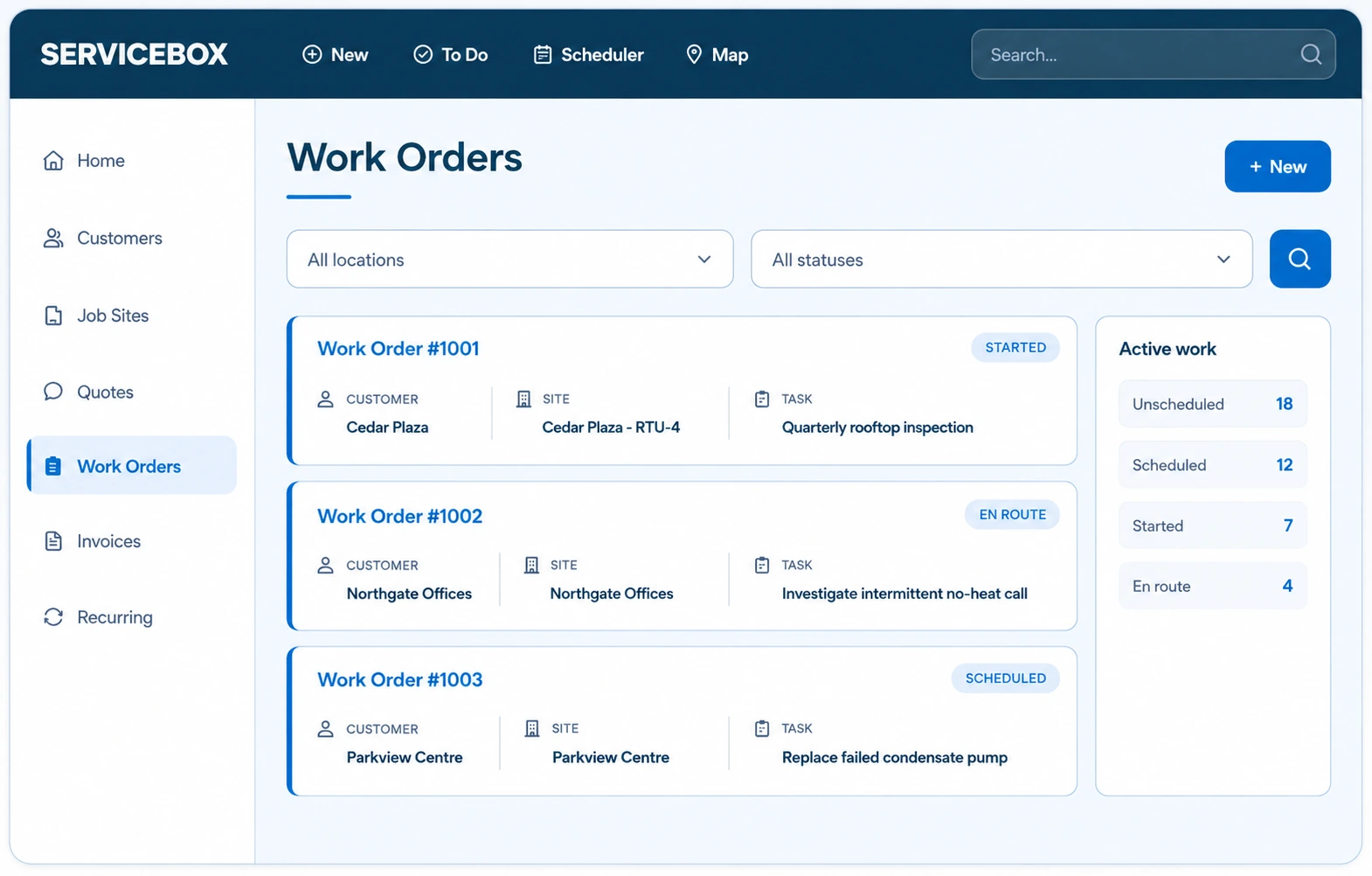
Keep customer, site and equipment context together.
02
Schedule with context
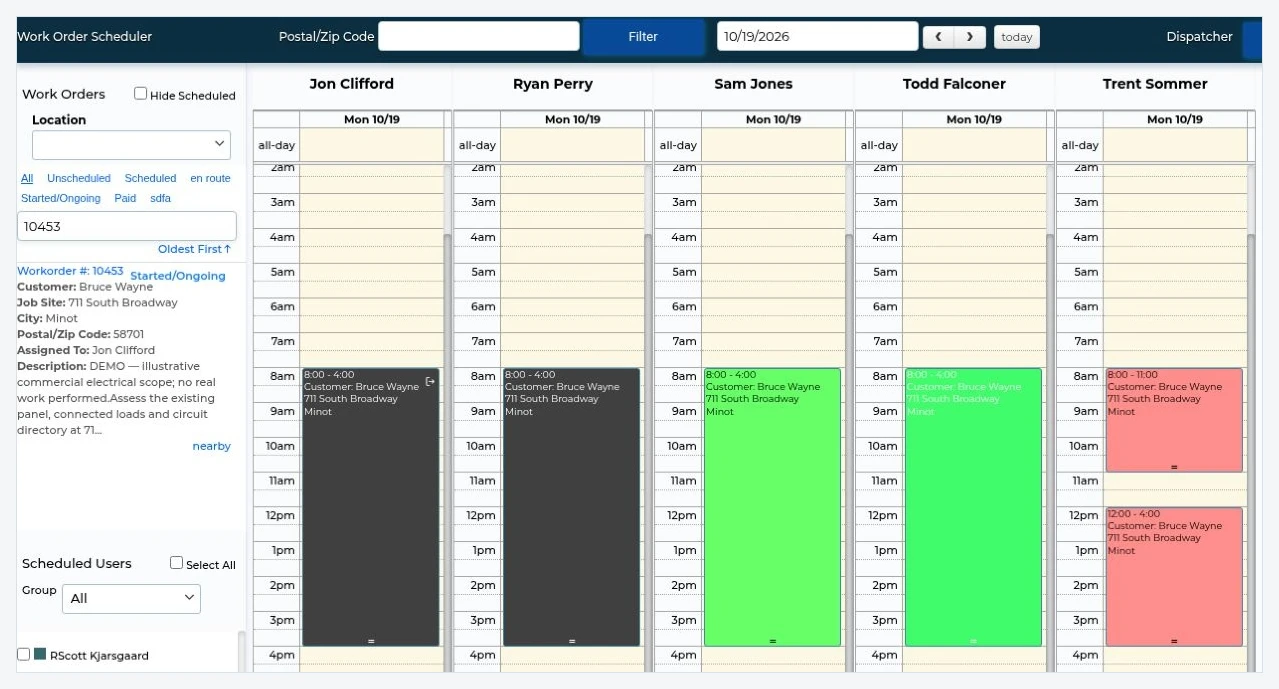
Assign work with history, access details and scope attached.
03
Complete the field record
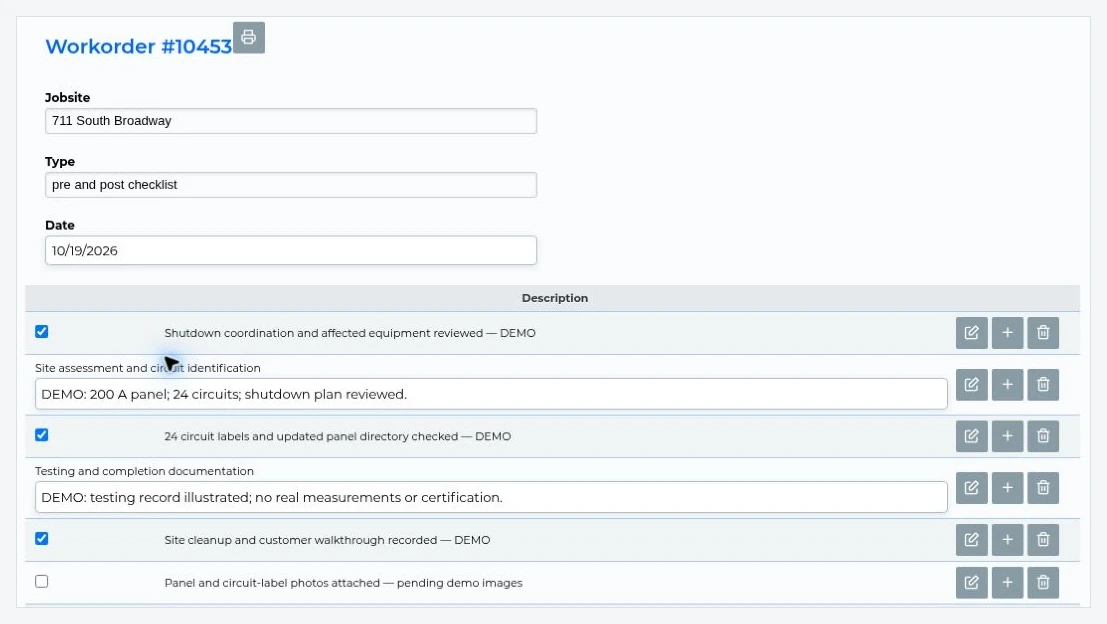
Capture time, materials, notes, photos and forms.
04
Move work forward
Carry completed details into invoicing and accounting review.
A practical buying decision
Choose Housecall Pro or ServiceBox based on your work
Both are established field service platforms. Choose by the work you manage and the features in the plan you would actually buy, not by a generic winner badge.
Choose Housecall Pro when...
You primarily run residential home-service jobs and want online booking, customer communications, estimates, mobile payments and route-based scheduling. Housecall Pro's Basic, Essentials and MAX plans offer different levels of functionality, so confirm the tier you need.
Consider ServiceBox when...
You manage commercial accounts, multiple job sites, maintained equipment, recurring work orders and purchased materials, with Canadian accounting requirements including Sage 50 Canada.
The right comparison includes a real customer, scheduled job, field record and accounting handoff in both systems.
Housecall Pro vs ServiceBox: which fits your service team?
Both platforms support dispatch, technician jobs and invoicing. Housecall Pro also offers recurring service plans and material tracking. To evaluate ServiceBox, use one commercial customer with several sites, an equipment history, a maintenance visit, a vendor order and a reviewed invoice, then ask each provider to demonstrate the complete process.
What to compare
Housecall Pro
ServiceBox
Primary fit
Built around home-service workflows, online booking, scheduling, estimates, invoicing and payments
Designed for commercial contractors managing repeat customers, multiple job sites and connected office-to-field operations
Commercial customers and sites
Ask how properties, site contacts and equipment histories are represented for multi-site accounts
Separate but connected customer, job-site and equipment records with relevant service history
Recurring maintenance
Recurring service plans are supported; confirm the applicable package and visit-documentation workflow
Recurring work orders can retain site and equipment context; confirm the plan and setup needed
Work orders and technician records
Scheduling, job details, estimates and field documentation; test how a complex commercial visit is recorded
Work orders link dispatch, technician time, materials, forms and billing review
Purchasing and inventory
Material and inventory capabilities depend on the chosen workflow or integrations; validate with a sample vendor order
Premium includes vendor orders, purchasing, inventory and materials visibility
Accounting integrations
QuickBooks integration options depend on the selected plan and workflow; verify the exact supported connection and data flow
QuickBooks Online, QuickBooks Desktop and Sage 50 Canada; confirm transaction mapping and review steps
Plans and team size
Basic, Essentials and MAX have different user allowances and features; confirm prices, currency and additional-user costs
Standard $210/month and Premium $330/month, each with six licensed users; confirm applicable currency and current terms
Implementation
Confirm data import, team training, integration setup and onboarding support for your selected plan
Guided discovery of the data migration, administrator and technician setup, accounting configuration and implementation scope
Choose Housecall Pro when: your priority is a home-service workflow centered on online booking, route planning, customer messaging and payments, and its current plan meets your requirements. Choose ServiceBox when: your team needs commercial customer/site/equipment structure, recurring maintenance history, purchasing, inventory and a reviewed accounting handoff. Compare live demonstrations before making a decision.
ServiceBox vs Housecall Pro: Commercial Service and Job History
Both platforms can manage service work. The practical difference to test is how each stores a commercial customer's sites, equipment records, recurring visits, materials and invoice data. Ask about the plans and integrations required for your workflow rather than assuming a feature is absent.
01
Inventory and purchasing inside the operating workflow
Housecall Pro documents job material reporting, inventory-detail tracking and QuickBooks-based inventory options. ServiceBox Premium includes purchasing, vendor orders, inventory and materials tracking tied to work orders, with multi-location functions. Compare stock counts, purchase approvals and materials assigned to an actual job before selecting either platform.
02
Accounting fit across QuickBooks and Sage
Housecall Pro supports QuickBooks Online and a QuickBooks Desktop connector with specific edition and regional requirements. ServiceBox supports QuickBooks Online, QuickBooks Desktop and Sage 50 Canada. Canadian contractors should confirm whether their exact Desktop edition is eligible and test invoices, payments, customer mapping and corrections in both systems.
03
Compare the plan that matches your real team
Housecall Pro and ServiceBox publish different plan structures, user allowances and feature tiers. Compare the plan that includes the service plans, inventory, accounting, purchasing and team capacity you actually need rather than comparing starting prices alone.
Connected commercial workflow
Built for workflows that get more complex as the business grows.
ServiceBox emphasizes the customer, job site, equipment and service history behind the work so commercial context does not disappear after dispatch.
01
Commercial customer, site and equipment structure
Keep commercial customers, multiple job sites, equipment records, recurring work and field documentation connected so technicians arrive with the history and site context the job requires.
02
Recurring maintenance that builds on history
Housecall Pro offers service plans and recurring visit tools. ServiceBox supports recurring maintenance associated with customer site and equipment records, including checklists and prior work-order findings. Compare how plan visits, asset-level history and billing work in the package you would buy.
03
Guided implementation for office and field teams
ServiceBox onboarding covers administrator setup, accounting mapping, technician training and progressive go-live support so the software is configured around the operation before the team depends on it.
Built for operational growth
Keep the field, office and accounting workflow connected as complexity increases.
The goal is one operational record that supports mixed work, recurring commitments, material usage and cleaner handoffs from service completion through billing.
01
Commercial service, maintenance and project work in one system
Run reactive service, recurring maintenance, quoted work and projects across multi-site commercial customers while keeping equipment records, service history and billing context connected.
02
Recurring work with the asset record attached
Recurring schedules, equipment-level checklists and completed service history stay connected so planned work can build on what happened before.
03
Accounting that follows the completed work
Connect approved operational data with QuickBooks Online, QuickBooks Desktop or Sage 50 Canada so the accounting handoff reflects the customer, job and billing record the field team actually completed.
Sources and buying criteria · Reviewed 6 November 2026
Housecall Pro vs ServiceBox: Verified features, plans and integration facts
These are published product facts, not a claim that one vendor lacks a feature unless its documentation explicitly says so. Availability may depend on country, accounting version, plan, add-ons and billing term. Ask both providers to demonstrate the same job before committing.
Evaluation area
Housecall Pro
ServiceBox
Vendor source
Published plan structure
Basic is for one user, Essentials includes five and MAX includes eight on the published pricing page; displayed prices are in USD.
Standard and Premium begin with six licensed users and local-currency billing in Canada.
What Canadian contractors should check before choosing
Accounting: Confirm the precise QuickBooks Online, QuickBooks Desktop or Sage 50 Canada edition and connector workflow. Do not assume two-way synchronization of every field.
Taxes and invoices: Test your actual GST/HST/PST configuration, invoice approval process and province-specific tax treatment; tax mapping needs verification in the chosen system.
Sage 50 Canada: ServiceBox can move supported invoices and other records into Sage, but it does not automatically synchronize Sage timesheets or a complete two-way inventory and price list. See the documented limitations.
Plan cost: Compare your full team size, currency, onboarding, storage, add-ons, implementation and annual commitment rather than only the starting price.
A real commercial workflow to test in both systems
Illustrative example: A plumbing contractor services multiple buildings for one property-management customer, including planned water-heater inspections and urgent leak repairs. This is a sample evaluation scenario, not a customer result or measured performance claim.
Identify the property manager, the affected building and the equipment service record.
Book a recurring inspection while dispatching an emergency leak call to a different technician.
Collect field photos, a safety checklist, parts, time and the next repair recommendation.
Approve a quote, compare the materials workflow and complete a reviewed invoice.
Test QuickBooks edition compatibility and the Canadian tax treatment with both vendors.
Ask the vendors to show the final customer, site and equipment history after closing the job, not only the first scheduling screen. For an independent ServiceBox customer example, explore Full Throttle or Croft Electric.
See the ServiceBox product before comparing
These are representative ServiceBox visuals, not Housecall Pro screenshots. Functions and permissions vary by plan, and the actual configuration should be tested in a demo.
Dispatch and technician scheduling. Click to expand.Work order completion checklist. Click to expand.
Switching software is a data and workflow project, not simply creating a new login. A practical migration plan should include:
Inventory the data: Request a complete list of exportable customers, contacts, locations, equipment, open work orders, quotes, agreements, unpaid invoices, photos and attachments from your current provider.
Define the import scope: Agree which records ServiceBox can import, which need mapping or cleaning, and which historical files must remain archived. Do not assume every record transfers automatically.
Map commercial relationships: Check that each customer, job site and asset is linked correctly; preserve recurring service frequencies and future visits.
Test accounting: Validate tax codes, customer matching, invoice numbering, payment ownership and which ledger remains the financial source of truth.
Pilot before cutover: Run representative dispatch, maintenance, purchase and invoice scenarios, train office and field roles, and agree a cutover and historical-access plan.
Comparison methodology: Public first-party pricing, plan and support pages were reviewed on 6 November 2026. Feature access and regional restrictions may change without notice; confirm current terms and demonstrate mission-critical workflows with both providers. No competitor pricing or limitations are inferred from third-party lists.
Frequently asked questions about Housecall Pro alternatives
Answers for Canadian HVAC, electrical, plumbing and commercial service contractors comparing field service management software.
What is a Housecall Pro alternative for commercial contractors?
ServiceBox is an option for Canadian HVAC, plumbing and electrical teams with multi-site commercial customers, maintained assets, preventive maintenance, purchasing and accounting requirements.
Does Housecall Pro support recurring service?
Yes. Housecall Pro offers service plans and recurring visits. Compare the service agreement, equipment records, visit checklists and invoice process in each system.
Does Housecall Pro work with QuickBooks Desktop in Canada?
Housecall Pro documents QuickBooks Online and certain QuickBooks Desktop connections, but country and edition requirements apply. Confirm your Canadian accounting edition directly before committing.
Which is better for home service or commercial maintenance?
Housecall Pro emphasizes home-service booking, customer communications and payments. ServiceBox emphasizes commercial customer sites, equipment and maintenance history. Compare the actual workflows and plans.
More questions to ask when comparing Housecall Pro with ServiceBox
Answers based on current vendor documentation and real migration considerations for Canadian commercial field service teams.
Which Housecall Pro plan lists recurring service plans?
Housecall Pro's published pricing comparison lists Recurring Service Plans under MAX. Confirm current availability, any optional packages and the contract workflow in the plan you are considering.
How should Canadian contractors compare Housecall Pro pricing?
Housecall Pro's published prices are in USD and vary by billing term and plan. ServiceBox lists local-currency billing for Canadian customers. Compare total cost at your actual technician count and include add-ons, implementation and taxes.
What is the best way to compare a commercial property workflow?
Ask each vendor to demonstrate one property manager with several buildings, maintained units, recurring inspections, emergency calls, technician documentation and invoice review. Evaluate how easily the next technician finds the correct asset history.
Can I migrate customer and job history from Housecall Pro into ServiceBox?
The scope depends on what Housecall Pro can export and what ServiceBox can import or map. Ask both vendors for a field-by-field export/import review, preserve original files and test a small set of customer and job records before cutover.
Review Housecall Pro's official pricing and documentation and get a written migration scope before choosing. Book a ServiceBox comparison demo.
Workflow demo
Bring the Housecall Pro workflow you want to compare in detail.
Show us the commercial customer structure, recurring service, inventory or accounting handoff your team depends on and we’ll walk through it in ServiceBox.