
Choose FieldPulse when...
You want FieldPulse's scheduling, service agreements, inventory, configurable field processes and custom seat-based pricing. Ask about optional premium products and your current QuickBooks edition.
FieldPulse provides scheduling, estimates, project tools, maintenance agreements, inventory and QuickBooks integrations for field service companies. ServiceBox is another option for Canadian commercial HVAC, plumbing, electrical and multi-trade contractors who need job-site and equipment records, preventive maintenance, purchasing and accounting handoffs. Compare implementation, pricing and specific integrations without assuming FieldPulse lacks these features.
A practical buying decision
Both are established field service platforms. Choose by the work you manage and the features in the plan you would actually buy, not by a generic winner badge.
You want FieldPulse's scheduling, service agreements, inventory, configurable field processes and custom seat-based pricing. Ask about optional premium products and your current QuickBooks edition.
You need a commercial-service workflow joining customer sites, equipment records, recurring work, purchasing, inventory and the option of Sage 50 Canada integration.
The right comparison includes a real customer, scheduled job, field record and accounting handoff in both systems.
Book a ServiceBox workflow demoBoth platforms have overlapping field service features. The table identifies published capabilities and practical questions to verify before purchasing. Plan availability and regional compatibility can change.
| What to compare | FieldPulse | ServiceBox |
|---|---|---|
| Field service operations | Scheduling, dispatch, work orders, estimating, invoicing and payments | Scheduling, work orders, field records, quoting and invoicing |
| Preventive maintenance | Maintenance agreements; test equipment-level visit history | Recurring maintenance organized by customer site and equipment record |
| Inventory and purchasing | Inventory management and supported QuickBooks purchase-order sync | Premium inventory, vendor orders and materials tracking |
| Accounting | QuickBooks Online in Canada and eligible QuickBooks Desktop editions | QuickBooks Online, QuickBooks Desktop and Sage 50 Canada; verify edition and sync fields |
| Pricing and implementation | Seat-based quotes and optional premium products; verify plan inclusions | Standard/Premium include six licenses; compare onboarding and feature scope |
Sources: FieldPulse product documentation and ServiceBox plans. Ask both vendors to confirm current plan inclusions and data-sync details in a live demonstration.
Both platforms support dispatch, field technicians, jobs, estimates and invoicing, with substantial field service functionality. Compare how each handles a commercial customer with several sites, equipment history, preventive maintenance, purchase orders and approved accounting transactions, as well as the licensed seats and support you need.
FieldPulse documents two-way integrations with QuickBooks Online in Canada and with supported QuickBooks Desktop editions (2023 or later, Windows only), subject to integration limits. ServiceBox supports configured connections with QuickBooks Online, QuickBooks Desktop and Sage 50 Canada. Compare which invoice, payment, purchase-order and customer records sync for your chosen edition.
FieldPulse's current public pricing page describes seat-based, custom-quote pricing, with optional premium products; it does not publish the older Essentials, Professional and Enterprise tier breakdown. ServiceBox publishes Standard and Premium starting with six licensed users, plus a limited Starter option and Enterprise. Request quotes for matching seats, features and onboarding.
FieldPulse supports inventory management and maintenance agreements, and its QuickBooks Online documentation includes purchase-order syncing. ServiceBox Premium includes vendor orders, purchasing, inventory and multiple locations connected to jobs and material use. Compare purchase approvals, stock movement and work-order cost tracking using the same sample job.
Both systems cover much of the field-service workflow. ServiceBox emphasizes commercial customer, site and equipment records and the link between recurring work orders, technician documentation and invoice review. Ask FieldPulse to demonstrate the same records and compare the setup and plan requirements.
Run reactive service, recurring maintenance, quoted work and projects across multi-site commercial customers while keeping equipment records, job history and billing context connected.
Create recurring work around the customer site and equipment record, attach the right checklist and keep prior findings available so each maintenance visit starts with relevant history.
ServiceBox onboarding covers administrator setup, accounting mapping, technician training and progressive go-live support so adoption is planned around the roles and workflows the business actually uses.
ServiceBox combines human support, structured onboarding and a connected quote-to-invoice workflow so the office and field teams have help putting the system into practice.
ServiceBox customers can reach a support team for product questions, workflow issues and the practical details that surface once real jobs start moving through the system.
Configure customers, sites, permissions, accounting mappings and workflows first, then train technicians separately on the focused field process they need to complete work accurately.
Quotes, work orders, scheduling, time, materials, invoices, payments and accounting handoffs can move forward from the same job record instead of being rebuilt at each handoff.
Sources and buying criteria · Reviewed 6 November 2026
These are published product facts, not a claim that one vendor lacks a feature unless its documentation explicitly says so. Availability may depend on country, accounting version, plan, add-ons and billing term. Ask both providers to demonstrate the same job before committing.
| Evaluation area | FieldPulse | ServiceBox | Vendor source |
|---|---|---|---|
| Pricing and premium tools | Current pricing is seat-based and quoted; optional premium products have separate requirements. | Standard and Premium start with six included users; compare onboarding and feature scope. | Official documentation |
| Maintenance agreements | FieldPulse supports recurring agreement visits, contract storage, renewal and service history. | Site- and equipment-linked preventive maintenance workflows; compare actual record structure. | Official documentation |
| QuickBooks Online in Canada | FieldPulse's customer agreement specifies QBO availability in Canada and two-way sync for defined records. | QBO integration available, with connector-specific mapping and review requirements. | Official documentation |
| QuickBooks Desktop | FieldPulse documents versions 2023+ and supported Windows editions, plus limitations. | QuickBooks Desktop connection supported; confirm your exact company-file version and sync scope. | Official documentation |
| Purchasing and inventory | Inventory tools and QBO purchase-order transfer are documented, subject to integration limits. | Premium includes vendor orders, purchasing and inventory; Sage 50 Canada is an additional accounting option. | Official documentation |
Verify the ServiceBox plan and user allowances on ServiceBox pricing. Verify technical accounting behaviour on ServiceBox integrations. FieldPulse prices, discounts and included seats can change: check current FieldPulse pricing.
Illustrative example: A mechanical service company carries out planned maintenance across several commercial sites, with ten technicians, parts on trucks and a QuickBooks accounting workflow. This is a sample evaluation scenario, not a customer result or measured performance claim.
Ask the vendors to show the final customer, site and equipment history after closing the job, not only the first scheduling screen. For an independent ServiceBox customer example, explore Full Throttle or Croft Electric.
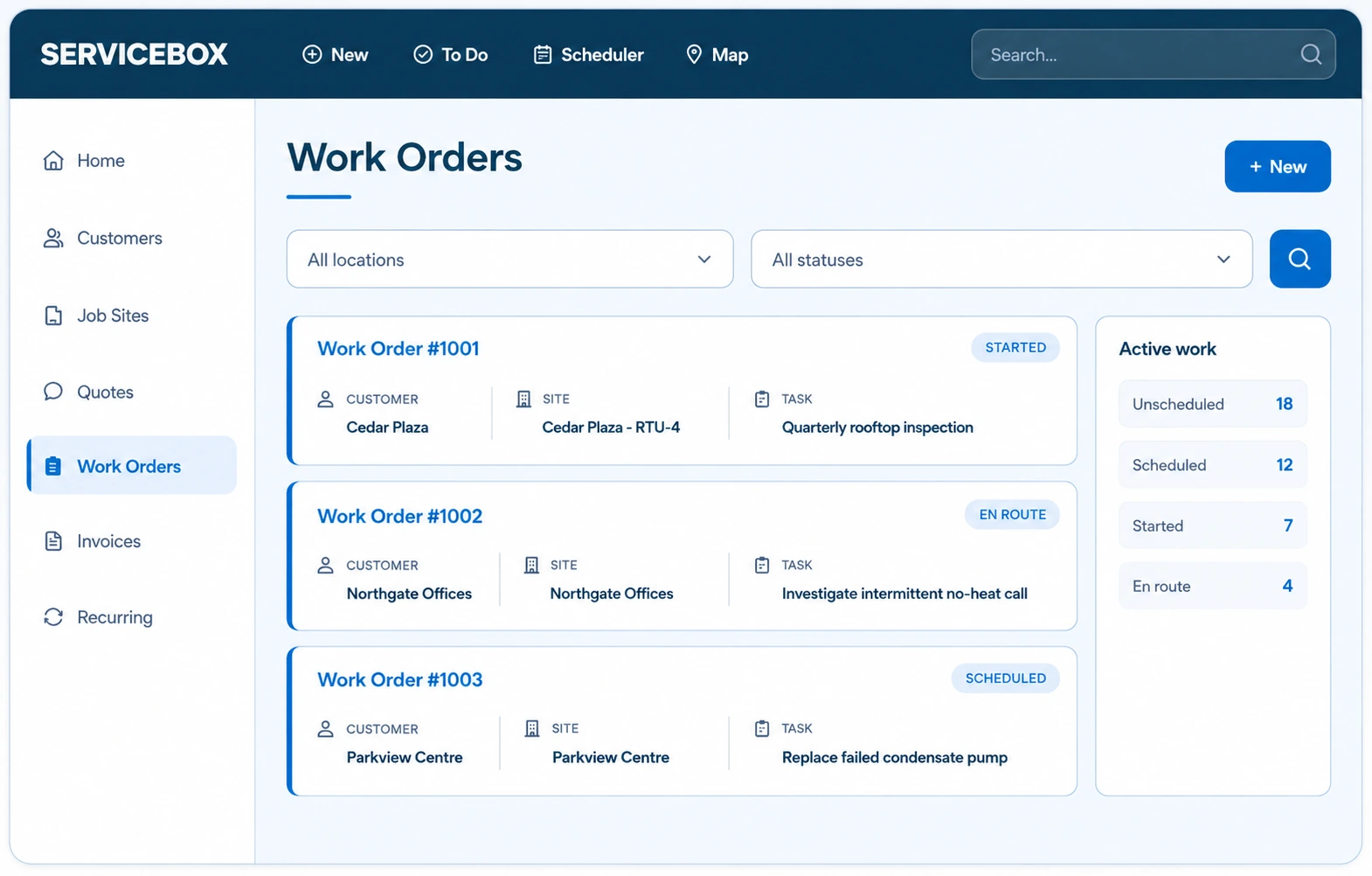
These are representative ServiceBox visuals, not FieldPulse screenshots. Functions and permissions vary by plan, and the actual configuration should be tested in a demo.
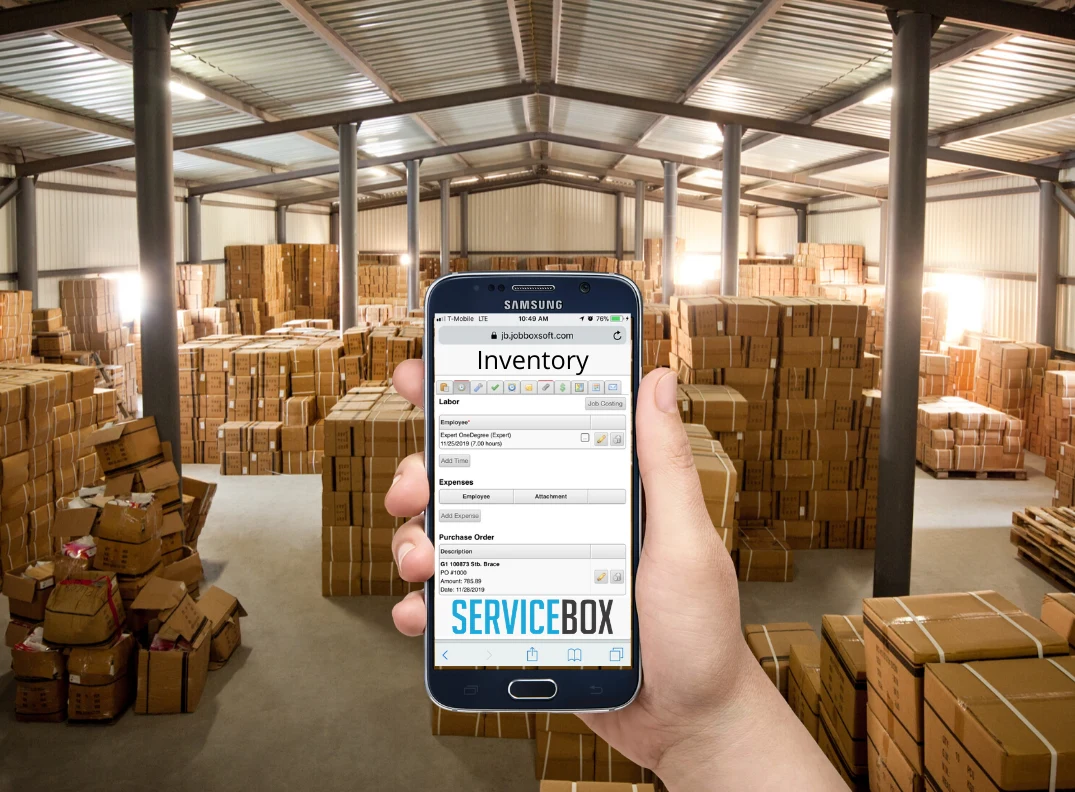
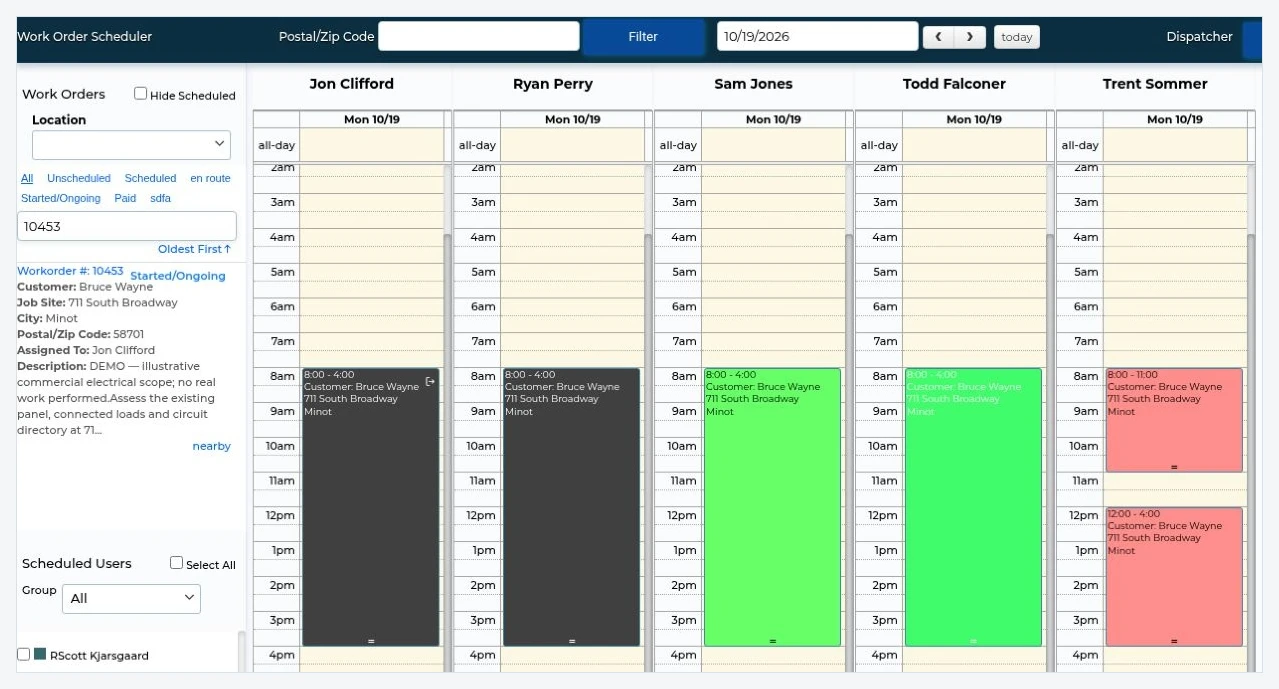
Watch the ServiceBox feature walkthrough
On-demand product walkthrough. Open video in a new tab or browse other ServiceBox videos.
Switching software is a data and workflow project, not simply creating a new login. A practical migration plan should include:
Learn about ServiceBox onboarding and customer care or book a migration and workflow review.
Answers for Canadian HVAC, electrical, plumbing and commercial service contractors comparing field service management software.
FieldPulse helps field service businesses manage scheduling, jobs, estimates, technicians, invoicing, maintenance agreements and inventory.
FieldPulse documents QuickBooks Online integration in Canada and supports eligible QuickBooks Desktop editions. Check the edition, sync direction and exact supported records.
FieldPulse has inventory functions, and its QuickBooks Online integration supports purchase-order syncing. Compare material movements and purchasing workflows in each system.
Compare both when you need connected commercial customer sites, equipment maintenance, purchasing, field records and accounting. Get matching quotes for seats, integrations and onboarding.
Answers based on current vendor documentation and real migration considerations for Canadian commercial field service teams.
FieldPulse's published customer agreement confirms QuickBooks Online availability in Canada and two-way synchronization of supported customer, line-item, estimate, invoice and payment records. It lists important exclusions, so confirm the precise fields you use.
Yes. FieldPulse documents recurring maintenance agreements, contract management, reminders, service history and renewals. Compare its plan and asset records with ServiceBox using a sample commercial maintenance contract.
FieldPulse describes custom seat-based pricing rather than a single published price for every team. Request a written quote that includes the number of seats, needed premium products, implementation, accounting connections and renewal terms.
The main risk is assuming all historical records and files will transfer automatically. Request the exact FieldPulse export formats, agree ServiceBox import mapping and verify customers, sites, assets, open jobs, attachments, recurring agreements and accounting reconciliation before cutover.
Review FieldPulse's official pricing and documentation and get a written migration scope before choosing. Book a ServiceBox comparison demo.
Show us the commercial customer structure, recurring work, purchasing or accounting workflow your team depends on and we’ll walk through it in ServiceBox.
Exploring other options? Browse all field service software comparisons.