Know the site and equipment
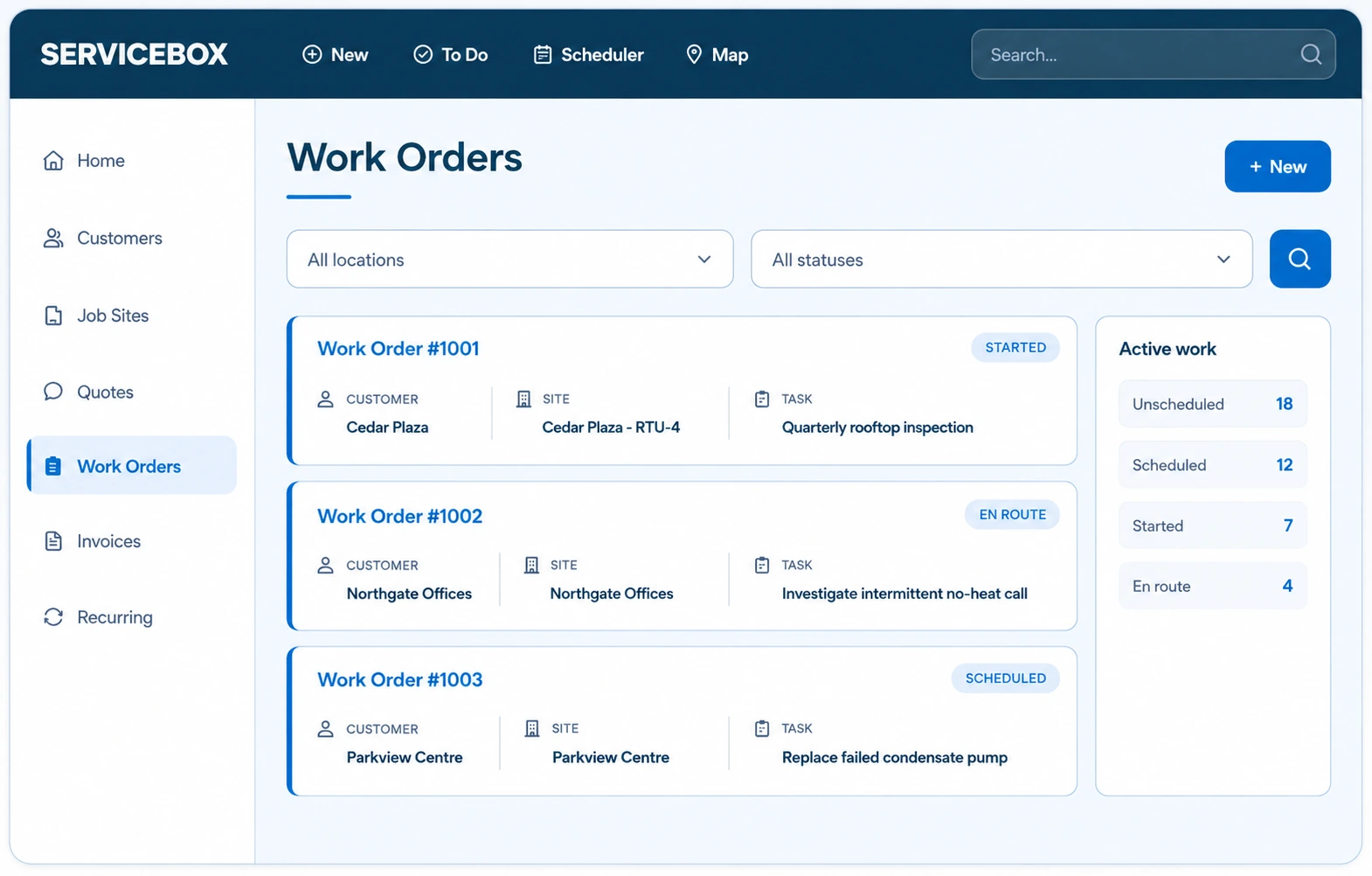
Keep customers, job sites, equipment records and previous work connected so the next technician can start with the right history.
The right software depends on the work that drives your business. Both BuildOps and ServiceBox support commercial contractors, but they take different approaches to service and project work. ServiceBox connects recurring maintenance, technician scheduling, equipment history, work orders, time tracking, checklists, project execution and invoicing. For large construction projects needing extensive change orders, RFIs and forecasting, BuildOps offers additional depth. Compare the same real workflow in both products.
BUILT FOR COMMERCIAL SERVICE TEAMS
For many HVAC, electrical, plumbing and multi-trade contractors, the relationship doesn’t end when the first work order closes. You return to the same buildings and equipment for maintenance, emergency repairs, installations and longer-running project work. ServiceBox connects the office and field across those visits.
Keep customers, job sites, equipment records and previous work connected so the next technician can start with the right history.
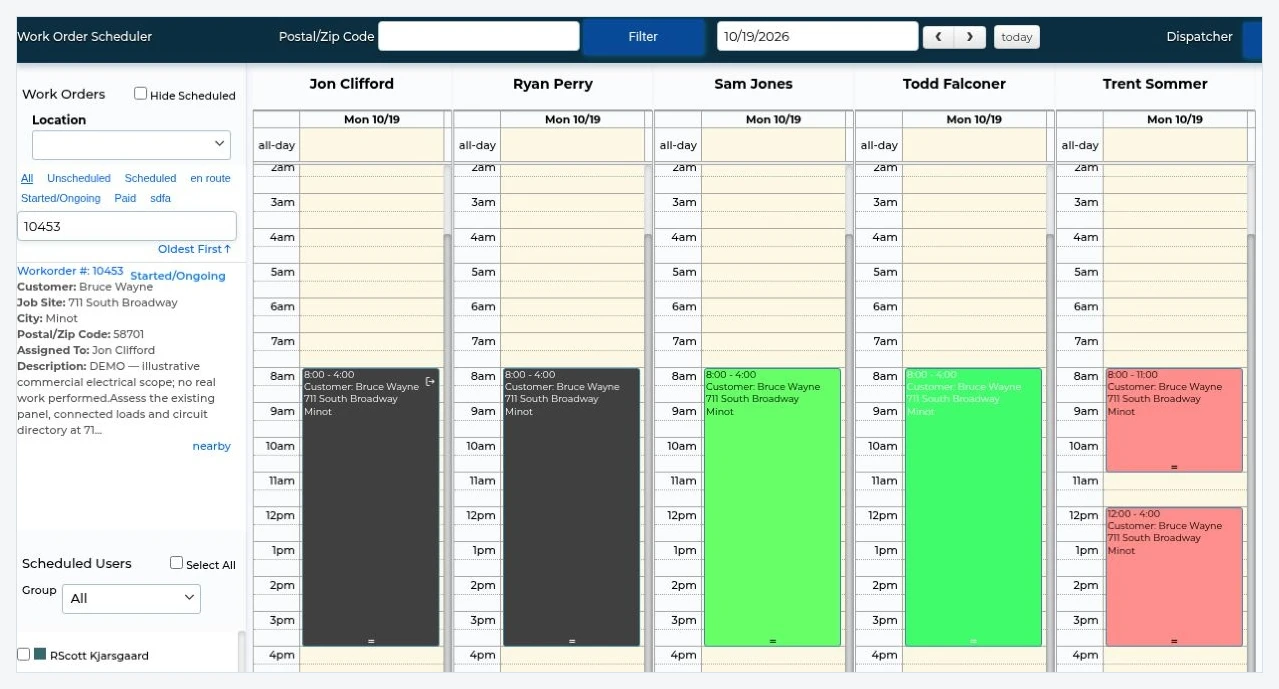
Schedule recurring work, assign technicians, use checklists and keep maintenance documentation with the customer and equipment.
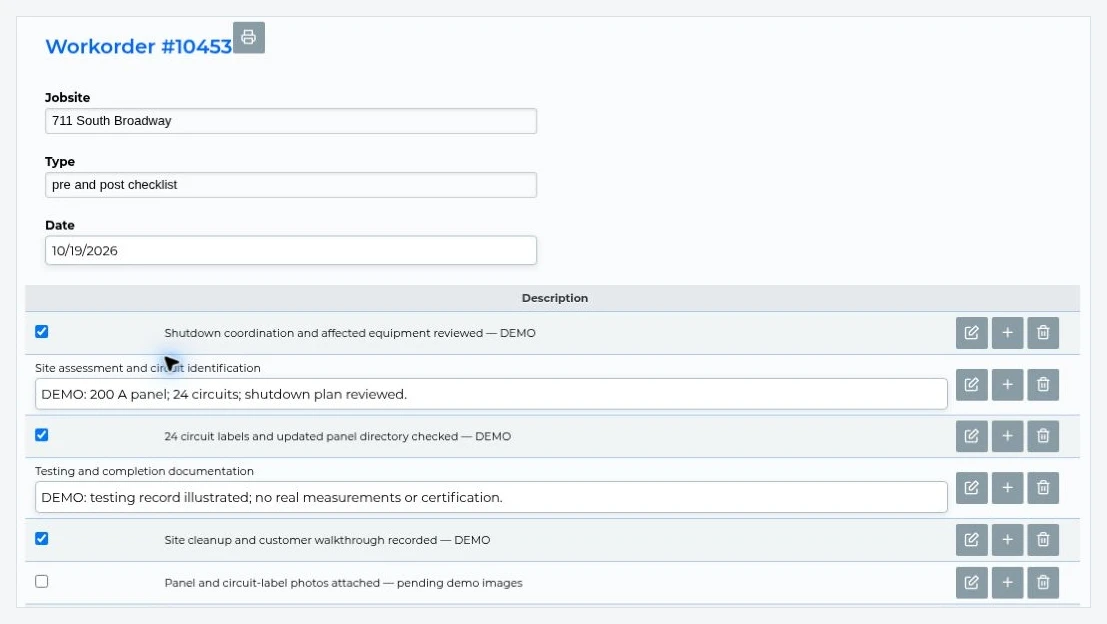
Capture labour, materials, service notes and field documentation against work orders, then prepare invoices for review.
Schedule installations, upgrades and other projects, track technician time, use checklists and document progress alongside service calls.
Connect supported workflows to QuickBooks Online, QuickBooks Desktop or Sage 50 Canada while accounting remains your financial system of record.
BUYER COMPARISON
Both platforms support commercial service and project-related work. The key question is how much construction-project depth your company needs, and how its accounting and operational workflows must work together.
| What matters | ServiceBox | BuildOps |
|---|---|---|
| Core emphasis | Commercial service, recurring maintenance, work orders, customer sites, equipment and project execution. | Commercial service and construction projects, with capabilities for both. |
| Scheduling and field execution | Schedule and assign technicians across service calls, installations and project work. | Service and construction workforce scheduling, resource planning and field coordination. |
| Project management | Project-related work orders, scheduling, time tracking, materials, checklists, documentation and billing. | Project execution plus construction controls such as RFIs, submittals, change orders and project financial reporting. |
| Maintenance | Recurring work orders, equipment history, checklists and repeat service visits. | Recurring maintenance agreements, visits, renewals and agreement reporting. |
| Job and project costing | Track work-order labour and materials; confirm the specific job-cost and reporting outputs your team requires. | Service job costing and construction financials such as WIP, forecasting and change-order tracking. |
| Accounting | QuickBooks Online, QuickBooks Desktop and Sage 50 Canada. | QuickBooks and enterprise integrations including Sage Intacct, Viewpoint Vista and Spectrum. |
| Pricing | Published Standard and Premium plan starting prices, with six licensed users included. | Custom pricing; request a written quote for the same users and workflows. |
| Implementation | Guided data setup, workflow configuration, training and accounting validation; timing varies by scope. | BuildOps currently promotes a Smart Deploy pathway with most contractors up and running within four weeks, while other guidance describes 8–12 weeks. Confirm which applies to your rollout. |
Compare current plan terms and technical capabilities with each vendor. BuildOps sources: project management, project financials, Smart Deploy (October 2026), and implementation FAQ.
SERVICE AND PROJECT WORK
Commercial contractors often manage both service and projects. A mechanical contractor may maintain rooftop units throughout the year, then replace equipment when it reaches the end of its life. An electrical contractor may combine ongoing maintenance with a facility upgrade.
Those projects still need work orders, scheduled crews, time tracking, checklists, materials, field documentation and a process for getting completed work billed. ServiceBox supports these operational project-management needs without requiring a separate construction-management platform for every installation or upgrade.
Some contractors need extensive project budgets, work-in-progress reporting, complex change-order management, RFIs, submittals, construction forecasting and detailed financial controls.
BuildOps offers additional capabilities designed for those construction-management requirements. Evaluate those tools if substantial multi-month projects, cost-code reporting and enterprise ERP workflows are central to your business.
BUILT FOR CANADIAN CONTRACTORS
Changing field-service software does not necessarily mean replacing your accounting system. For contractors using Sage 50 Canada or QuickBooks Desktop, compatibility may be central to the decision.
ServiceBox supports documented connections to QuickBooks Online, QuickBooks Desktop and Sage 50 Canada, with defined workflows for transferring supported records. Accounting remains your financial system of record.
BuildOps documents connections to QuickBooks and commercial ERP platforms including Sage Intacct, Vista and Spectrum. Sage 50 Canada is a distinct product from Sage Intacct; ask BuildOps to verify compatibility with the exact edition you use.
Explore Sage 50 Canada integration · Explore QuickBooks Desktop integration
Bring your accounting edition, a representative service work order and a completed invoice. Ask what syncs, what needs operator approval, how exceptions are handled and which system owns each financial record. Compare the same workflow in both platforms.
SERVICEBOX CUSTOMER STORIES
These published stories illustrate operational fit. They are not claims that either customer switched from BuildOps.
MULTI-TRADE SERVICE AND SAGE 50
ProTrades works across plumbing, electrical, heating and cooling. After a difficult experience implementing another platform, it adopted ServiceBox to connect scheduling, field information, customer history, invoicing and its existing Sage 50 system.
30%
Improvement in overall efficiency reported by ProTrades in its customer interview.
COMMERCIAL AND INSTITUTIONAL SERVICE
Apex handles mechanical service, equipment maintenance, urgent repairs and replacement work. ServiceBox helps retain checklists, equipment history and service documentation across repeat visits.
Its customer story also describes the importance of faster invoice preparation and timely billing after field work is completed.
AN HONEST BUYING DECISION
ServiceBox supports project work, but the platforms differ in the depth of construction-project management they offer. BuildOps should be high on your shortlist if you need:
RFIs, submittals, change orders, detailed project records and more complex coordination across substantial projects.
Construction WIP reporting, forecasted project margins, detailed cost-code controls and broader portfolio-level visibility.
Deep integration with systems such as Sage Intacct, Viewpoint Spectrum or Vista, tied to complex construction operations.
BuildOps also has preventive-maintenance capabilities, including agreement reporting. Contractors requiring detailed profitability reporting for every maintenance agreement should test that workflow in both products.
DEMONSTRATE YOUR WORKFLOW
Instead of sitting through two generic product tours, bring a customer with multiple buildings, a history of service visits and a recurring maintenance agreement. Then test an equipment replacement, installation or commercial upgrade.
Offline note: ServiceBox's documented offline scope is primarily read-only access to cached information. Do not assume technicians can capture new signatures or edit work orders without a connection.
COMMON QUESTIONS
Key questions for commercial HVAC, electrical, plumbing and multi-trade contractors comparing project and service management.
Yes, especially when your company needs scheduling, recurring maintenance, customer and equipment history, work orders, field documentation, project execution, quoting, invoicing and supported accounting integrations. If your business is primarily driven by complex construction projects, compare BuildOps' advanced project controls directly.
Yes. Commercial contractors use ServiceBox for installation, equipment replacement, upgrade and longer-running work through technician scheduling, work orders, time tracking, checklists, materials and field documentation. For complex construction jobs that require extensive RFIs, submittals, change-order controls or construction WIP forecasting, compare both vendors against your specific process.
ServiceBox records labour and materials against work orders and supports job-cost analysis. The exact reports and quoted-versus-actual calculations you need should be demonstrated. Advanced construction WIP, project financial forecasts and detailed progress billing require separate validation.
BuildOps publishes integrations with Sage Intacct and other accounting platforms, but Sage Intacct is not Sage 50 Canada. Ask BuildOps to confirm your exact Sage edition and integration path. ServiceBox supports a documented Sage 50 Canada connection with defined workflow limits. Explore the ServiceBox Sage 50 Canada integration.
Implementation depends on data migration, accounting configuration, training and workflow complexity. BuildOps' October 2026 Smart Deploy announcement says most contractors using its guided setup are up and running within four weeks; the company's general demo FAQ also cites 8–12 weeks. Ask which option applies to you. ServiceBox determines its implementation milestones after reviewing your specific requirements.
ServiceBox provides primarily read-only offline access to previously cached work-order information and schedules. Previously loaded alerts can also remain available. Previously signed records may be available where their content has been cached, but this exact behaviour should be confirmed for your workflow. Capturing new customer signatures and updating work orders requires a connection.
WORKFLOW DEMO
Bring a real service call, recurring maintenance agreement, project workflow or accounting requirement. We'll walk through what ServiceBox supports and identify anything that needs validation.
See whether ServiceBox fits the commercial service business you're running today.